Category: Immigration & Residency

  • How to Check GDRFA Fines in Dubai: Simple Steps for Residents and Tourists

    How to Check GDRFA Fines in Dubai: Simple Steps for Residents and Tourists

    If you live in Dubai or are visiting, you’ve likely come across the General Directorate of Residency and Foreigners Affairs (GDRFA). They handle visas, residency permits, and immigration matters.

    If you overstay your visa or break the rules, you might get fines, travel bans, or other legal issues. The good news is you can easily check and pay GDRFA fines online.

    This guide will help you with the following:

    • How to check your GDRFA fines in Dubai
    • Step-by-step instructions for paying fines
    • Types of fines and what happens if you don’t pay them
    • How to challenge a fine you think is wrong.
    • Tips to help you avoid fines in the future

    What does the GDRFA do in Dubai?

    The General Directorate of Residency and Foreigners Affairs (GDRFA) is the Dubai government agency responsible for visas, residency permits, and immigration services. If you live in or visit Dubai, you will likely deal with the GDRFA at some point, such as when applying for a visa, renewing your residency, or passing through immigration at the airport.

    Main Responsibilities of the GDRFA:

    • Issuing and renewing visas: The GDRFA manages all types of visas for Dubai, including tourist visas and residency permits.
    • Managing entry and exit: The GDRFA ensures that people enter and exit Dubai in accordance with the law.
    • Overseeing residency services: This includes cancelling visas, updating records, and managing various permits.
    • Ensuring immigration compliance: The GDRFA ensures that people comply with the visa and residency rules set by the UAE government.

    The GDRFA plays an important role in keeping order and security by managing who comes to and stays in Dubai.

    What About GDRFA Fines?

    If you overstay your visa, break visa rules, or forget to renew your residency permit, the GDRFA may fine you. Ignoring these fines can lead to bigger problems, such as legal trouble, travel bans, or difficulty obtaining a new visa. So, it’s important to check your GDRFA fines often and pay them on time.

    How to Check Your GDRFA Fines

    It’s easy to check your GDRFA fines in Dubai using the online system. Just follow these simple steps to see if you have any fines:

    1. Visit the official GDRFA website or download the GDRFA-Dubai app on your phone.
    2. Find the ‘Fines Inquiry’ or ‘Check Your Fines’ section on the website or app.
    3. Enter your personal details, like your passport number, UAE residency visa number (if you have one), and your date of birth.
    4. Click the ‘Submit’ or ‘Check’ button to continue.
    5. Your fines, if any, will appear on the screen with all the details.
    6. You can save or print the results for your records if you want.

    Alternative Methods for GDRFA Fine Check

    If you want to use a different method instead of the online portal, here are some options:

    1. GDRFA Mobile Application

    • You can download the GDRFA Dubai app from your phone’s app store.
    • Open the app, go to the fines inquiry section, and follow the steps to see if you have any fines.

    2. Amer Service Centres

    • Go to the closest Amer Service Centre in Dubai.
    • Give your ID details to the service agent, and they will help you check for any fines.

    3. Authorised Typing Centres

    • You can also visit approved typing centres that provide GDRFA services.
    • Staff at these centres can help you check and explain any fines linked to your residency or visa.

    How to Pay GDRFA Fines in Dubai, UAE

    After you check your GDRFA fines, it’s important to pay them soon to avoid legal trouble or extra charges. The easiest way is through the official GDRFA website or mobile app. Here’s what to do:

    1. Visit the GDRFA Dubai website or open the GDRFA Dubai mobile app.
    2. You might need to log in using your Emirates ID, visa details, or passport number.
    3. Once you’ve checked your fines, click the “Pay Now” button to go to the payment page.
    4. You can pay with a credit card, debit card, or other accepted online payment methods.
    5. Check the fine details and complete your payment. You’ll get a confirmation receipt, so make sure to save it for your records.

    If you’d rather pay in person, visit the nearest Amer service centre. An agent there can help you check your fines and guide you through the payment steps.

    Types of GDRFA Fines in Dubai, UAE

    The GDRFA in Dubai issues various fines to help people comply with the UAE’s residency and immigration rules. Here are the main types of fines:

    • Overstaying a Visa: The ICP has set the same overstaying fines across the UAE. Now, if you overstay on a visit, tourist, or residence visa, you will be fined AED 50 per day. This is an increase from the previous AED 25 per day for residence visas.
    • Overstaying After Visa Cancellation: If your residence visa is cancelled and you do not leave the country or update your status within the allowed grace period, you will be fined AED 50 per day.
    • Hiring Illegal Workers: Employers who hire people without the right authorisation can be fined AED 50,000.
    • Delayed Renewal of Establishment Card: If a business delays renewal of its establishment card, it will be fined AED 100 per month of delay.
    • Filing False Absconding Reports: If someone files a false absconding report against an employee, they can be fined AED 5,000.
    • Unauthorised Duplication of Emirates ID: Attempting to copy or forge an Emirates ID is punishable by a fine of AED 2,000.
    • Misuse of the System: Misusing the residency and foreign affairs system can result in fines of up to AED 5,000.
    • Obstructing Sector Employees: If you interfere with GDRFA employees while they are doing their jobs, you may be fined up to AED 5,000.
    • Non-Cooperation with Authorities: Failing to cooperate with GDRFA authorities during inspections or investigations can result in fines of up to AED 5,000.
    • Issuing Visas for Inactive Businesses: If a business issues visas or entry permits while it is not operating, it can be fined up to AED 5,000.
    • Delayed Emirates ID Card Registration: If you do not register for or renew your Emirates ID card on time, you may have to pay a fine.
    • Failure to Pay for Services Used: Failing to pay for services related to residency and foreign affairs can result in fines of up to AED 5,000.

    What happens if you don’t pay your GDRFA fines?

    If you overstay or break GDRFA rules in Dubai and do not pay the fines, here’s what could happen:

    1. You might get a travel ban, which means you cannot leave the UAE until you pay all your fines.
    2. Failing to pay your fines can lead to legal trouble. In some cases, this could mean detention or even deportation, depending on the seriousness of the violation.
    3. Unpaid fines can prevent you from renewing or extending your visa, making it hard to stay legally in the UAE.
    4. Having overdue fines can hurt your chances of getting a job, since most companies do not want to hire people with legal or residency problems.
    5. In serious situations, you could be banned from entering the UAE again for a certain amount of time.
    6. The longer you wait to pay, the more the fines can add up, making it even more expensive.
    7. Unpaid fines can also stop you from using important government services, like applying for sponsorship or other official paperwork.

    How to challenge a GDRFA fine in Dubai, UAE

    If you think you received a GDRFA fine by mistake, here’s what you can do:

    1. Gather the documents you’ll need, such as a copy of your passport with the visa page, your Emirates ID, and any proof of the mistake, like hospital reports or flight cancellation records.
    2. Visit a GDRFA Customer Happiness Centre, or submit your application through the GDRFA website or app.
    3. Fill out the required forms and pay any applicable service fees.
    4. The authorities will review your case. Processing times can vary by application.
    5. You can check the status of your application and find out the result once it’s ready.

    Tips to Avoid GDRFA Fines in Dubai

    You can avoid GDRFA fines by paying attention to Dubai’s immigration and residency rules. Here are some simple tips to help you follow the rules:

    • Keep track of your visa’s expiry date and apply for a renewal or extension before it runs out.
    • Use the GDRFA website or app for renewals, questions, and checking your status to help prevent mistakes.
    • Do not work if you are on a tourist or visit visa. Make sure your employer gives you a valid work visa and residency permit before you start working.
    • Check that your passport, Emirates ID, and visa documents are up to date and easily accessible.
    • If you plan to leave the UAE permanently, remember to cancel your residency visa through the GDRFA.
    • Check the GDRFA online portal or the official mobile apps to see if you have any fines pending payment.
    • Only use your visa for its correct purpose, like using a tourist visa for travel or a work visa for a job.

    If you are not sure about visa steps or paying fines, you can ask a professional agency like Shuraa Business Setup for help.

    Stay Fine-Free and Enjoy Dubai

    It’s important for both residents and tourists to check their GDRFA fines to avoid problems or extra charges. You can quickly check your fines online, which makes things much easier. Make sure to follow visa rules and keep your documents up to date for a smooth stay in Dubai.

    Are you planning to move to Dubai or start a business here? Shuraa Business Setup is here to help. We handle the paperwork, visas, and other steps so you can focus on your goals. Contact us today and let us make your experience in Dubai easy and worry-free.

    Frequently Asked Questions (FAQs)

    1. How to check the overstay fine in the UAE?

    To check your overstay fines in the UAE, visit the GDRFA or ICP website, or use their official mobile apps, and enter your passport or visa details.

    2. How do I perform a GDRFA fine check in Dubai?

    Visit the official GDRFA website, go to the fine inquiry section, and enter your passport number, visa number, or Emirates ID to check for any fines.

    3. How to check visa fines in the UAE?

    You can check visa fines on the GDRFA website (Dubai) or the ICP Smart Services portal (other Emirates) using your passport or visa details.

    4. Can I check visa status with the passport number?

    Yes, you can check your visa status with your passport number through the GDRFA website or the ICP portal.

    5. Can tourists check GDRFA fines online?

    Yes, tourists can check their fines online through the GDRFA website by entering their passport number and other required information.

    6. Can I appeal against GDRFA fines in Dubai?

    Yes, you can appeal fines if you believe they were applied mistakenly. Contact GDRFA directly or visit their customer service centre to initiate an appeal.

    Disclaimer: The information in this post is for general guidance only and may change due to updates in government policies or regulations.
  • What is UAE PASS and Why All Residents and Business Owners Should Use It

    What is UAE PASS and Why All Residents and Business Owners Should Use It

    The UAE is rapidly becoming a fully digital nation. Services that once required long queues and paperwork can now be completed online in just a few clicks. From visa applications and utility bills to banking and business approvals, everything is moving toward a smarter, faster, and paperless way of working.

    At the heart of this transformation is UAE PASS. In simple terms, it is your official digital identity for the UAE. It allows you to log in securely to government and private sector platforms, sign documents digitally, and access critical services without ever visiting an office in person.

    For residents and business owners, UAE PASS has quickly become essential. Whether you are checking your visa status, opening a bank account, filing taxes, or managing company documents, it makes everything quicker and more seamless. So, let’s explore exactly what UAE PASS is, how it works, and why it is key to a simpler life in the UAE.

    What is UAE PASS?

    UAE PASS is the UAE’s secure national digital identity and signature solution. It electronically verifies your identity, enabling access to hundreds of online services and allowing you to sign legally binding documents without visiting a service centre or presenting a physical ID card.

    It was launched as a joint initiative by three government authorities to ensure nationwide integration:

    • TDRA (Telecommunications and Digital Government Regulatory Authority)
    • Abu Dhabi Digital Authority
    • Dubai Digital Authority (Smart Dubai)

    The government introduced UAE PASS to solve three core challenges:

    • Eliminate Paperwork: UAE PASS supports the national Paperless Strategy by enabling digital signing and document exchange.
    • Simplify Access: It eliminates the need to manage multiple usernames and passwords across government and private portals.
    • Enhance Security: UAE PASS reduces the risk of identity fraud by using advanced biometric authentication, such as Face ID or fingerprint, instead of passwords.

    Single Secure Login:

    UAE PASS serves as a Single Sign-On (SSO) solution. Once set up on your phone, it allows seamless access to:

    • Federal Government Services (e.g., ICA, Ministry of Interior)
    • Local Government Services (e.g., Dubai Police, DEWA, various municipality portals)
    • Private Sector Services (e.g., major banks for account opening, telecom providers like Etisalat and Du)

    Who Can Use UAE PASS?

    UAE PASS is available to anyone living, working, or conducting business in the UAE. A valid Emirates ID is required for registration.

    • UAE Citizens: Emirati nationals use UAE PASS as their primary digital key to access government platforms, sign legal documents, and complete transactions without visiting service centres.
    • UAE Residents: Any resident with a valid Emirates ID can register. UAE PASS streamlines access to visa applications, healthcare, utility bills, telecom services, and more from a single, secure platform.
    • Business Owners and Entrepreneurs: UAE PASS supports business licensing, visa processing, government approvals, digital contract signing, and official document filing. It accelerates processes and reduces paperwork.
    • Freelancers and Working Professionals: Freelancers, employees, and consultants use UAE PASS for visa renewals, professional licensing, secure banking verification, and safe access to client or employer portals.

    Note: Students and job seekers, included under the “Residents” category, use UAE PASS to verify their identity for educational portals, internship applications, and official job platforms.

    Key Features of UAE PASS

    UAE PASS streamlines service interactions by making them faster, more secure, and fully digital. The following key features highlight its value:

    1. Single Digital Login: Use a single secure credential to access hundreds of federal, local, and private service portals, eliminating the need for multiple usernames and passwords.
    2. Official Digital Identity: A recognised digital ID that verifies your identity online, reducing the need for physical documents for most services.
    3. Legally-Binding Digital Signature: Sign contracts and official documents online with a signature that has the same legal validity as a handwritten one, without the need for printing or scanning.
    4. Biometric & Facial Verification: Advanced biometric authentication, such as Face ID, ensures only you can access your account and enhances protection against identity theft.
    5. End-to-End Paperless Transactions: Complete all processes, from application and approval to document submission, digitally to save time and resources.
    6. Mobile-First Convenience: Manage services via the UAE PASS mobile app, providing access to essential services anytime.
    7. UAE Government-Grade Security: Data is protected by strong, government-backed encryption and multi-layer authentication protocols.
    8. Seamless Platform Integration: UAE PASS integrates with major services, including immigration (ICA), utility providers (DEWA, ADDC), healthcare platforms, banks, and business portals.

    Benefits of UAE PASS for Residents

    UAE PASS streamlines daily life in the UAE by providing fast, fully digital access to services. Residents can manage most tasks from their phone, eliminating queues and repetitive paperwork. Key benefits include:

    1. Unified Access to Government Services: Use a single account to log in to hundreds of federal and local portals, including visas, Emirates ID, healthcare (DHA/HAAD), and utilities (DEWA/ADDC).
    2. Eliminate In-Person Visits: Complete tasks such as document submission and application tracking entirely from your mobile device.
    3. One-Click Secure Login: Access services instantly with a single secure credential, supported by biometric authentication.
    4. Biometric Security: Safeguard your identity with government-level security, including Face ID, fingerprint, or PIN, to prevent unauthorised access.
    5. Sign Documents Legally: Sign official documents with a legally binding digital signature, eliminating the need for printing, scanning, or couriers.
    6. 24/7 Access from Anywhere: Manage services at your convenience, whether at home, work, or while travelling.

    Benefits of UAE PASS for Business Owners

    UAE PASS streamlines operations, government interactions, and documentation for business owners in the UAE. It enables you to manage your business more efficiently and with reduced paperwork.

    1. Streamlined Access to Business Portals: Access licensing portals (DED, free zones), immigration (ICA), tax authority (FTA), and other essential platforms with a single login.
    2. Execute Documents Digitally: Sign MOAs, client contracts, government approvals, and other legal documents online using a legally binding signature, significantly accelerating processing times.
    3. Accelerated Government Approvals: Expedite license renewals, visa applications, and permit amendments through seamless digital verification.
    4. Secure Tax and Financial Compliance: Access the FTA portal for VAT, corporate tax, and return filings securely, ensuring your financial data is protected.
    5. Significant Time and Cost Savings: Lower administrative overhead by reducing paperwork, courier expenses, and time spent on physical submissions.
    6. Remote Management and 24/7 Access: Oversee and approve essential business tasks from anywhere, maintaining full control without a physical presence.

    Government Services You Can Access Using UAE PASS

    UAE PASS offers secure, one-click access to a wide range of government and semi-government services across the UAE. The main service categories are listed below.

    Visa & Immigration Services

    Emirates ID & ICA Services

    • ID application and renewal
    • Personal information updates
    • Residency stamping and approvals

    Driving & Transport Services

    • RTA / Dubai Police driving services
    • Vehicle registration and renewal
    • Driver’s license issuance and renewal

    Utility & Housing Services

    • DEWA, ADDC, and SEWA accounts
    • Ejari (tenancy contract) registration
    • Utility bill payments and management

    Healthcare & Insurance Services

    • Health card issuance (DHA/HAAD)
    • Medical insurance portal access
    • Government clinic and hospital appointments

    Police & Legal Services

    Business & Licensing Services

    Taxation Services

    • VAT registration and filing
    • Corporate tax registration
    • Federal Tax Authority (FTA) portal access

    Banking & Financial Services

    • Digital KYC and bank account opening
    • Secure a loan application and approval
    • Financial document verification

    Education & Employment Services

    • University and student portal access
    • Ministry of Human Resources & Emiratisation (MOHRE) services
    • Official job platform verification

    UAE PASS brings these services together under a single, secure digital identity.

    How to Register for UAE PASS (Step-by-Step Process)

    Registering for UAE PASS is a straightforward digital process. You will need the following:

    • Your physical Emirates ID
    • A smartphone
    • An active UAE mobile number linked to your Emirates ID

    Step 1: Download the UAE PASS App

    Download the official “UAE PASS” app from the Apple App Store or Google Play Store. Install and open the app.

    Step 2: Begin Registration & Verify Contact Details

    Tap “Create Account” or “Register.” Enter your UAE mobile number and email address, then verify each using the One-Time Passwords (OTPs) sent to you.

    Step 3: Scan Your Emirates ID

    The app will prompt you to scan your Emirates ID using one of the following methods:

    • Use your phone’s camera to scan both sides of the card.
    • If supported, tap your Emirates ID on the back of your phone.

    This process automatically retrieves your official details from government records.

    Step 4: Complete Biometric Face Verification

    For security, complete a live facial scan by following the on-screen instructions. This step matches your face to the photo on your Emirates ID.

    Step 5: Set Your Secure PIN

    Create a confidential 4- or 6-digit PIN. You will use this PIN and your biometrics to confirm your identity for logins and digital signatures. Do not share your PIN.

    Step 6: Registration Complete

    Your UAE PASS digital identity has been created and is now active. You will typically be logged in automatically to the app.

    Step 7: Start Using UAE PASS

    You are now ready to use UAE PASS. When accessing a government or private service website or app, select “Login with UAE PASS.” Approve the request on your phone using your PIN or biometrics for secure access.

    Is UAE PASS Secure?

    Yes, UAE PASS is highly secure. As the UAE’s official government-backed digital identity, it is developed and maintained by federal authorities (TDRA, Abu Dhabi Digital Authority, Smart Dubai) to meet the highest national standards for cybersecurity and data protection.

    Key security features include:

    • Official Government Standard: UAE PASS is built and operated in compliance with strict UAE cybersecurity regulations and data protection laws, ensuring institutional-level security.
    • Biometric-First Authentication: Access is controlled using unique biological traits such as facial recognition or fingerprint, making unauthorised use of your identity highly unlikely.
    • End-to-End Encryption: Personal data and transaction details are encrypted in transit and at rest, preventing interception or unauthorised access.
    • Tamper-Proof Digital Signatures: Documents signed with UAE PASS are legally binding, cryptographically sealed, and provide a verifiable audit trail to prevent forgery or alteration.n.
    • Defence-in-Depth Security Model: The system uses multiple independent security layers, including PIN, one-time passwords (OTP), and mandatory biometric verification, so breaching one does not compromise your account.

    UAE PASS is designed to be more secure than traditional physical IDs and paperwork, significantly reducing the risk of identity theft and fraud.

    Is UAE PASS Mandatory?

    UAE PASS is not mandatory for all services, but it is now the main or sole access method for many key government and business platforms. The UAE’s digital strategy is moving toward making it the standard for official transactions.

    Where It Is Effectively Mandatory

    UAE PASS is now required to access an increasing number of essential services, including the following key portals:

    • Federal immigration and visa services (ICA)
    • The Federal Tax Authority (FTA) for VAT and Corporate Tax
    • Many business licensing and free zone platforms
    • An increasing number of banking and legal service portals

    Where It Is Optional (But Highly Recommended)

    Some older platforms may still allow alternative login methods, such as a traditional username and password. However, UAE PASS is strongly recommended because it is:

    • Faster (one-click login)
    • More Secure (biometric verification)
    • More Convenient (no need to re-upload your documents repeatedly)

    Practical Necessity by User

    • For residents, UAE PASS is becoming essential for daily access to services such as visas, healthcare, utilities, and transportation.
    • For business owners and entrepreneurs, UAE PASS is already indispensable. Managing core functions such as tax compliance, licensing, and government approvals without it is increasingly impractical.

    How Shuraa Can Help with UAE PASS & Business Services

    UAE PASS offers a digital gateway, but navigating government systems requires expertise. Shuraa Business Setup guides you in using UAE PASS and related platforms for an efficient business experience.

    End-to-End Business Setup

    Whether you are setting up a mainland, free zone, or offshore company, we manage the full registration process. We help you choose the right license and obtain all necessary approvals, using UAE PASS-enabled portals to expedite your setup.

    Streamlined Visa & Government Processing

    Our PRO team simplifies immigration formalities and saves you time by handling:

    • Investor, partner, and employee visa processing
    • Emirates ID applications and renewals
    • Medical tests and labour approvals

    We handle all portal submissions and use UAE PASS for digital verification, reducing the need for in-person visits.

    Corporate Documentation & Compliance

    We draft your Memorandum of Association (MOA), manage renewals and amendments, and ensure your corporate documents are accurate. Where possible, we enable digital signing through UAE PASS, making the process swift and secure.

    Your Focus, Our Expertise

    We handle all systems, procedures, and follow-ups for you. This allows you to focus on growing your business while we ensure that every official process is completed accurately and on time, using tools like UAE PASS to improve efficiency.

    Let Shuraa make your digital business journey easier.

    Also Read

    Frequently Asked Questions (FAQs)

    1. What is UAE PASS?

    UAE PASS is the UAE’s official digital identity and signature solution. It enables citizens and residents to securely access government and private services, verify their identities, and sign legal documents online through a single app.

    2. How do I register for UAE PASS?

    Register digitally through the UAE PASS app using your Emirates ID, smartphone, and registered UAE mobile number. Download the app, scan your Emirates ID, complete facial verification, and set a secure PIN.

    3. Is UAE PASS free to use?

    Yes. UAE PASS is free to download, register, and use for all services.

    4. Do I need a UAE PASS to start a business in the UAE?

    While not legally required in all cases, UAE PASS is essential for accessing key portals such as the Federal Tax Authority (FTA) and many licensing systems. It streamlines business setup and compliance.

    5. Can I use UAE PASS outside the UAE?

    Yes. After activation, you can access services worldwide with an internet connection. However, initial registration must be completed within the UAE.

    6. Is UAE PASS safe for business and financial use?

    Yes. UAE PASS meets the highest government security standards, using biometric verification, end-to-end encryption, and tamper-proof digital signatures to ensure secure transactions.

    7. What should I do if my mobile number changes?

    You can update your number directly within the UAE PASS app by verifying your identity. If you encounter issues, you can visit a certified UAE PASS Kiosk or a government customer happiness centre for assistance.

    8. What if I forget my UAE PASS PIN?

    Reset your PIN in the UAE PASS app by verifying your identity with your biometric data, such as a facial scan or fingerprint.

    Disclaimer: This guide is for informational purposes only. Procedures and requirements for UAE PASS are subject to change by official authorities. For the most up-to-date information and official support, please refer to the UAE PASS website or contact the relevant government departments directly.

  • Get UAE Residency through Company Formation

    Get UAE Residency through Company Formation

    If you’ve ever dreamed of living in a country that blends luxury, safety, and limitless opportunities, the UAE might just be the perfect place for you. Getting UAE residency through company formation is one of the most popular and straightforward routes for entrepreneurs and professionals alike. It’s not just about owning a business; it’s about building a life in one of the fastest-growing economies in the world.

    This complete guide outlines how to obtain a UAE residency visa through company formation, covering eligibility, benefits, the step-by-step application process, and document requirements. It also explores alternative residency options to help you make a fully informed decision.

    With residency through company formation, you can enjoy long-term stability, access to global markets, and the chance to sponsor your family members. Plus, with the UAE’s business-friendly policies, zero personal tax, and elite lifestyle, it’s easy to see why so many people are choosing this path. Whether you’re planning to start your own business or expand your existing one, this route offers both freedom and opportunity. Ultimately, this allows you to truly make the UAE your home while pursuing your professional goals.

    What is UAE Residency Through Company Formation?

    UAE residency through company formation is one of the most accessible and rewarding ways for entrepreneurs, investors, and professionals to make the UAE their second home. Instead of relying on employment or real estate investments, this pathway allows individuals to build their future by establishing a business in the UAE, which in turn secures long-term residency for themselves and their families.

    Essentially, residency through the company formation program allows expats to start a company in the UAE and obtain a residency visa linked to their business. It’s a practical choice for those who want both business growth and personal stability in one of the world’s fastest-growing economies. Unlike the UAE Golden Visa, which is designed for exceptional talents or large-scale investors, this route focuses on empowering business owners and innovators who want to contribute to the region’s growing economy.

    Benefits of UAE Residency Through Company Formation

    Obtaining a UAE residency through company formation isn’t just about doing business; it’s about unlocking a lifestyle filled with opportunities, stability, and growth.

    Whether you’re an entrepreneur, investor, or freelancer, this pathway offers a seamless way to establish your presence in one of the world’s most thriving economies. Here are some of the key benefits:

    • Retain Full Control and Profits: The UAE allows 100% foreign ownership of businesses in most free zones and even in specific mainland sectors. This gives investors complete control over their operations and profits, making residency in the UAE a truly empowering choice.
    • Maximize Your Earnings in a Tax-Friendly Hub: The UAE offers a tax-friendly environment with 0% personal income tax and competitive corporate tax rates. For entrepreneurs looking to maximise profits while enjoying residency benefits, setting up a company here is both practical and rewarding.
    • Residency for Family Members: One of the most human advantages of this route is that it extends to your loved ones. With a residency visa obtained via company formation, you can easily sponsor your spouse, children, and even domestic staff. It ensures your family enjoys the same sense of security and belonging.
    • Access to Global Markets: The UAE is strategically positioned between Asia, Europe, and Africa, serving as a global business hub. With a UAE residency visa, you can travel easily, expand internationally, and access a vast network of international partners.
    • A Streamlined and Efficient Setup Process: The UAE’s government has streamlined its business setup process to make it fast, transparent, and efficient. From digital applications to quick licensing, the process of obtaining residency in the UAE is designed to save time and effort for investors.
    • Stable and Secure Environment: Living and working in the UAE means enjoying one of the safest and most politically stable countries in the world. The nation’s strong infrastructure, healthcare, and education systems make it an ideal place for both personal and professional growth.
    • Long-Term Residency Opportunities: Through continuous business operations, you can renew your visa indefinitely. Moreover, successful investors may even qualify for long-term or Golden Visas, making UAE residency a gateway to lasting stability.
    • Enhanced Credibility and Networking: Having a UAE-registered company automatically boosts your brand’s reputation. It opens doors to collaborations, partnerships, and opportunities within a growing business ecosystem where innovation and entrepreneurship are highly valued.

    In essence, this residency status offers much more than just legal status; it’s a step towards financial independence, family security, and global recognition. It’s where your business dreams and lifestyle aspirations can grow together.

    Eligibility for UAE Residency Through Company Formation

    To qualify for UAE residency through business setup, individuals must meet certain conditions depending on their role, investment type, and company structure.

    • Business Owners and Investors: Anyone who establishes a company, whether on the mainland or in a free zone, is eligible for residency. The business can be commercial, professional, or industrial in nature, as long as it holds a valid trade license and operates legally.
    • Shareholders and Partners: If you are a shareholder or partner in a UAE-registered company, you are also eligible to apply for a residence visa. The number of visas available to shareholders often depends on factors like company size, office space, and business activity.
    • Company Employees: Employees working under a UAE-registered company are eligible for sponsorship for a residence visa, provided they have a valid employment contract and meet the minimum salary or designation requirements set by the UAE authorities.
    • Freelancers and Sole Proprietors: The UAE allows freelancers and solo entrepreneurs to obtain their residency by registering under a free zone or mainland license. This gives independent professionals the same benefits as larger business owners, including the right to live and work in the UAE.
    • Family Members of Business Owners: A significant advantage of residency in the UAE is that it extends to dependents. Business owners can sponsor their spouse, children, and even domestic staff once their visa is approved, making relocation smooth and family oriented.

    Requirements for UAE Residency Through Company Formation

    Once eligibility is confirmed, certain documents and conditions must be fulfilled to process the residency visa successfully.

    • Valid Trade License: Your company must have a valid and active trade license issued by the relevant mainland or free zone authority.
    • Establishment Card: An Establishment Card (or company immigration card) is mandatory for visa applications. It allows your business to sponsor employees and dependents legally.
    • Proof of Business Ownership or Partnership: You’ll need to provide official documentation showing your ownership, shareholding, or partnership in the company.
    • Office Space or Lease Agreement: Depending on your business activity and jurisdiction, you may be required to submit a tenancy contract or a Flexi-desk lease agreement as proof of your business location.
    • Medical Fitness and Emirates ID: All applicants must undergo a medical fitness test and apply for an Emirates ID card as part of the visa process.
    • Clean Criminal Record and Valid Health Insurance: Applicants must present a clear criminal record and hold valid health insurance coverage, as per UAE regulations.
    • Minimum Investment or Capital: While there is no universal minimum investment amount, some free zones or mainland authorities may have specific capital requirements based on business activity and category.

    In essence, UAE residency is open to anyone looking to start or expand their business in a stable, tax-friendly, and globally connected environment. With proper guidance and documentation, you can seamlessly establish your business and secure long-term residency for yourself and your family in the UAE.

    How to Apply for UAE Residency Through Company Formation?

    If you’re looking to make the UAE your new home while building your business, residency through company formation is one of the most seamless and rewarding routes.

    This process not only lets you establish your own company but also provides you and your family with long-term residency in the UAE. Here’s a step-by-step guide to help you understand how it works.

    Step 1: Choose Your Business Structure and Jurisdiction

    The first step in obtaining UAE residency is deciding where and how you want to set up your business.

    You can choose between the mainland, free zone, or offshore setup, each offering unique benefits depending on your business goals. For example, a mainland company allows you to trade directly within the UAE, while free zones provide 100% ownership and tax benefits.

    At this stage, consulting experts like Shuraa Business Setup can help you choose the best structure and location that aligns with your vision and budget.

    Step 2: Register Your Company and Obtain a Trade License

    Once you’ve decided on your business structure, the next step is to register your company with the authorities concerned and obtain a trade license. This license officially allows you to conduct business in the UAE. The process involves submitting your business name, activity details, passport copies, and other required documents.

    With Shuraa Business Setup’s end-to-end support, this step becomes much easier as they handle the entire documentation and registration process on your behalf.

    Step 3: Get Name Approval

    A company’s name reflects its identity. Submit your proposed name for approval with either the Free Zone Authority or the Department of Economic Development (DED), depending on your chosen jurisdiction. Once approved, you’re officially on your way to establishing your business presence.

    Step 4: Apply for Your Establishment Card

    After obtaining your trade license, you need to apply for an Establishment Card (also known as a company card). The immigration department issues this card, linking your company with the Ministry of Interior, which then allows you to apply for residence visas under your company name. 

    Step 5: Secure a Physical Office or Flexi Desk

    Depending on your business setup, you’ll need a physical office or a flexi desk provided by Free Zone authorities. This ensures your company complies with UAE regulations and provides a credible business address.

    Step 6: Secure Your Entry Permit to the UAE

    Next, you’ll need to apply for an entry permit, which allows you to enter the UAE legally to complete the residency process. This permit is typically valid for 60 days and can be converted into a residency visa after you complete the remaining formalities within the country.

    Step 7: Complete Medical Tests and Emirates ID Registration

    Once you’re in the UAE, you must undergo a mandatory medical fitness test and apply for your Emirates ID. The Emirates ID serves as your official identification within the UAE, allowing you to access various services such as banking, healthcare, and housing.

    Step 8: Open a UAE Bank Account

    A corporate bank account is essential for managing finances and conducting business transactions. Banks in the UAE typically require your trade license, company documents, and other supporting identification for account setup.

    Step 9: The Final Step: Get Your Residency Visa Stamped

    The final step is getting your UAE residency visa stamped in your passport. This visa is usually valid for two to three years, depending on your business setup. Once approved, you officially become a UAE resident and can sponsor your family members, dependents, and even domestic staff under your company.

    Simplify the Process with Shuraa Business Setup!

    While these steps may seem tricky, partnering with Shuraa Business Setup makes the journey smoother. From choosing the right business activity to securing approvals and completing visa formalities, their expertise ensures that you can focus on growing your business while they handle the complex paperwork.

    Need a broader overview? Learn more about the general process of How to Get a UAE Residence Visa.

    Document Required for UAE Residency Through Company Formation

    Obtaining UAE residency through company formation involves two main steps: setting up your company and applying for your residence visa. Each step requires specific documents:

    Documents for Company Formation:

    • Passport copies
    • Business plan
    • Initial approval certificate
    • Office lease agreement
    • Passport-sized photos
    • Trade license application
    • Memorandum & Articles of Association (MOA & AOA)
    • Establishment card 

    Documents for UAE Residency Permit:

    This streamlined checklist helps you prepare all essentials in advance, making the process smoother and faster.

    Also Read: How to Get Permanent Residency in UAE

    Alternative Residency Options in the UAE

    While forming a company is a powerful path to residency, it’s not the only one. The UAE provides a spectrum of visas tailored to diverse lifestyles and goals. Discover which of these prestigious pathways align with your ambitions.

    1. The Long-Term Investor: 10-Year Golden Visa

    The UAE Golden Visa is designed for high achievers and substantial investors; this visa offers a decade of stability and is the UAE’s most prestigious residency permit.

    • Who it’s for: Investors, entrepreneurs, scientists, exceptional talents, and outstanding students.
    • Key Benefits:
      • Live, work, and study in the UAE for up to 10 years.
      • Sponsor your family members.
      • 100% foreign ownership of mainland companies.
    • Pathway: Property investment from AED 2 million or other qualifying investments and achievements.

    2. The Property Investor: 3-Year Renewable Visa

    If you’re looking to plant roots through real estate, the Property Investor Visa offers a direct link between your investment and your residency status.

    • Who it’s for: Individuals who purchase property in Dubai.
    • Key Benefits:
      • A renewable 3-year residency visa.
      • Eligibility for any age, with individual or joint purchases.
    • Pathway: Purchase a completed residential property valued at a minimum of AED 1 million.

    3. The Independent Professional: 5-Year Green Visa

    Break free from sponsorship requirements. The Green Visa offers five years of self-sponsored residency for skilled professionals and freelancers.

    • Who it’s for: Skilled employees, freelancers, and investors.
    • Key Benefits:
      • 5-year validity without the need for an employer sponsor.
      • Greater flexibility and career autonomy.
    • Pathway: For employees, a minimum salary of AED 15,000. For freelancers, an annual income proof of AED 360,000.

    4. The Global Nomad: Remote Work Visa

    Live in the Dubai lifestyle while working for a company or running your own business from anywhere else in the world.

    • Who it’s for: Remote employees and entrepreneurs with clients outside the UAE.
    • Key Benefits:
      • Legally reside in Dubai for one year (renewable).
      • Sponsor your family.
      • Access to all of Dubai’s world-class services.
    • Pathway: Proof of employment or business ownership with a minimum monthly income of USD 5,000.

    5. The Retiree: 5-Year Retirement Visa

    With the UAE Retirement Visa, you can securely enjoy your golden years in the sun, safety, and luxury of the Emirates.

    • Who it’s for: Retirees aged 55 and above.
    • Key Benefits:
      • A renewable 5-year visa.
      • Experience a high-quality, secure retirement.
    • Pathway: Meet one of three criteria: monthly income of AED 20,000, savings of AED 1 million, or property investment of AED 2 million.

    6. The Traditional Route: Employment Visa

    The classic pathway for those with a job offer from a UAE-based company.

    The Employment Visa is the classic pathway for those with a job offer from a UAE-based company.

    • Who it’s for: Individuals employed by a UAE entity.
    • Key Benefits: Your employer handles the entire sponsorship and visa process.
    • Pathway: A valid employment contract from a licensed UAE company.

    Unsure which path is right for you? The experts at Shuraa can assess your profile and guide you to the perfect residency solution. Contact us for a free consultation.

    Want to explore all options? Read our full guide on the Types of Residency Visas in the UAE

    Make UAE Your Home Through Company Formation with Shuraa!

    Securing UAE residency through company formation is more than just a legal process; it’s an opportunity to build a life in a country known for its safety, luxury, and unmatched business potential. By establishing your business in the UAE, you not only gain long-term residency for yourself but can also sponsor your family, access global markets, and enjoy a tax-friendly environment that empowers your professional and personal growth.

    With residency through company formation, you’re choosing stability, credibility, and a platform to expand your business while embracing a vibrant, cosmopolitan lifestyle. With expert guidance from Shuraa Business Setup, the entire journey, from choosing the proper business structure to finalising your residency visa, becomes smooth, efficient, and stress-free.

    Start your UAE journey today. Contact us at +971 4 408 1900, send a WhatsApp to +971 50 777 5554, or email us at info@shuraa.com for fast and professional assistance. Let Shuraa Business Setup help you turn your business dreams into a permanent home in the UAE.

    Frequently Asked Questions

    1. How long does it take to get residency after company formation?

    The entire process, from company registration to receiving your residency visa stamp, typically takes between 2 to 4 weeks. This can vary depending on the emirate, free zone, and the completeness of your application. With expert assistance, the process can be streamlined for the fastest possible timeline.

    2. What is the minimum investment required for residency through company formation?

    There is no universal minimum investment set by the UAE government. However, the specific free zone or mainland authority where you establish your business may have minimum share capital requirements based on your chosen business activity. It’s best to consult with a business setup expert to understand the requirements for your specific case.

    3. Can I sponsor my parents or extended family?

    The standard residency visa obtained through company formation allows you to sponsor your spouse and unmarried children under 18. Sponsoring parents is more complex and typically requires meeting specific conditions, such as proving a minimum monthly salary and providing suitable accommodation. It is often assessed on a case-by-case basis.

    4. Do I need to be physically present in the UAE to apply?

    No, you do not need to be in the UAE to start the company formation process. The initial steps can be handled remotely. However, you will need to enter the UAE on an entry permit to complete the final stages, such as the medical test, biometrics for the Emirates ID, and visa stamping.

    5. How long is the residency visa valid, and can it be renewed?

    The initial residency visa is typically valid for 2 or 3 years, depending on your company’s license and jurisdiction. It is fully renewable as long as your company remains active and in good standing with the authorities. Continuous renewal offers a path to long-term stability.

    6. Is there a minimum salary or income requirement for this visa?

    For business owners and investors obtaining their own residency through their company, there is no minimum salary requirement. The visa is tied to your business ownership, not a personal salary. However, if you are sponsoring family members, some emirates may have minimum income requirements to prove you can support your dependents.

    7. Can I work for another company in the UAE on this visa?

    No, the residency visa obtained through your own company formation is specifically for you to manage and operate your own business. If you wish to take up employment with another company, you will need to obtain a new visa under your employer’s sponsorship.

    8. What is the difference between this and the UAE Golden Visa?

    The key difference is the focus. Residency through company formation is for active business owners and entrepreneurs who are running a day-to-day operation. The Golden Visa is a long-term (5-10 year) residency aimed at investors, highly skilled professionals, scientists, and exceptional students, often requiring a significant one-time investment or meeting specific talent criteria.

    Disclaimer: The information in this post is for general guidance only and may change due to updates in government policies or regulations.
  • How to Renew an Emirates ID in UAE?

    How to Renew an Emirates ID in UAE?

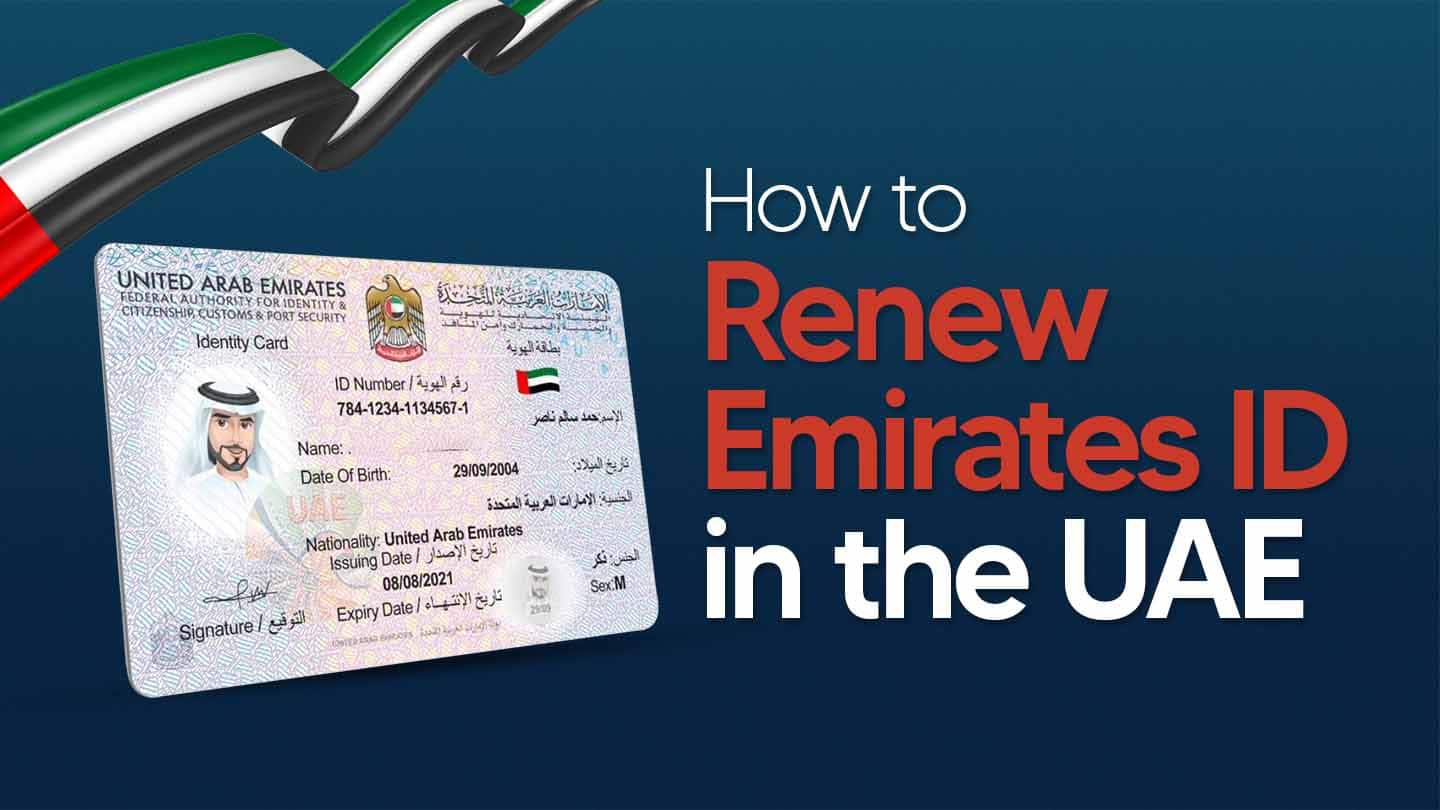
    Your Emirates ID is your key to life in the UAE and renewing it before it expires is a legal necessity. This comprehensive guide will walk you through the entire Emirates ID renewal process in the UAE, including online steps, required documents, associated fees, and how to check your application status.

    Key Takeaways

    • How to Renew: Primarily online via the ICP website or app.
    • Cost: Starts at AED 100 for 1-year validity.
    • Processing Time: Typically, 5-10 working days.
    • Best Practice: Start the renewal process at least 30 days before expiry to avoid fines (AED 20/day).
    • Need Help? Shuraa provides hassle-free Emirates ID renewal in Dubai and across the UAE.

    How to Renew Your Emirates ID: A Step-by-Step Guide

    Renewing your Emirates ID is a straightforward process. Here are the two main ways:

    Option 1: Renew Emirates ID Online (Recommended)

    You can renew your ID from the comfort of your home through the official Federal Authority for Identity, Citizenship, Customs and Port Security (ICP) channels.

    1. Visit the ICP Portal: Go to the official ICP website or use the ICP UAE smart app.
    2. Log In: Use your UAE Pass or your ICP account credentials.
    3. Find the Service: Navigate to “Services” > “Emirates ID Services” > “Renew Emirates ID”.
    4. Apply & Pay: Fill in the application form, upload the required documents (see below), and pay the Emirates ID renewal fees online.
    5. Track Application: You will receive an application number to track the status.
    6. Receive Your ID: Once ready, your new Emirates ID will be delivered to your registered address via Emirates Post, or you can collect it from a designated post office.

    Option 2: Renew Through an Accredited Typing Center

    Visit any government-authorized typing center with your original documents. They will handle the application process for a small service fee.

    Documents Required for Emirates ID Renewal

    The paperwork for Emirates ID Renewal in Dubai differs for UAE citizens, GCC nationals, and expatriates. Here’s a quick breakdown:

    Applicant TypeRequired Documents
    Expatriates– Original Passport
    – Valid Residency Visa
    – Old Emirates ID
    – Passport-sized Photograph (white background)
    UAE Citizens– Original Passport
    – Family Book
    GCC Nationals– Original Passport
    – Valid GCC National ID
    – Proof of UAE Residency

    New to the process? Learn more about How to get an Emirates ID in the UAE.

    Emirates ID Renewal Fees and Processing Time 2026

    Renewal Fees:

    The cost depends on the validity period of your ID.

    Validity PeriodFee (AED)
    1 Year100
    2 Years200
    3 Years300

    Note: There may be additional service charges if applied through a typing center or for delivery.

    Processing Time:

    The standard Emirates ID renewal processing time is between 5 to 10 working days from the date of application approval and biometric submission (if required).

    Is a Medical Test Required for Emirates ID Renewal?

    For expatriates, the Emirates ID renewal is directly linked to your residency visa renewal. A medical fitness test is a mandatory part of the residency renewal process for most adult expats. You must complete and pass this test before your Emirates ID application can be finalized.

    • Who needs it? All expatriates renewing their residency, with enhanced testing for those in specific sectors (e.g., domestic workers, food handlers, salon staff).
    • Who doesn’t? UAE citizens and GCC nationals are not required to take a medical test for ID renewal.

    How to Renew Emirates ID from Outside the UAE

    If your Emirates ID expires while you are abroad, you can still initiate the renewal process online via the ICP portal, provided your residency visa is still valid. You will need your passport and visa details. However, if biometrics are required, you must be physically present in the UAE to complete the process. It is highly recommended to renew your ID before traveling to avoid complications.

    How to Check Your Emirates ID Renewal Status

    1. Go to the ICP Website or open the ICP app.
    2. Navigate to “Check Application Status”.
    3. Enter your Application Number (PRAN) or Emirates ID Number.
    4. Click “Search” to see your current status (e.g., Under Review, Printed, Shipped).

    For a detailed guide, see our post on how to check your UAE Emirates ID status.

    Common Mistakes to Avoid During Renewal

    Don’t let simple errors delay your Emirates ID renewal. Here are the most common pitfalls and how to avoid them:

    Timing & Deadline Mistakes

    • Waiting until expiry: Starting late triggers AED 20/day fines (up to AED 1,000) and risks service disruptions.
    • Ignoring application status: Not tracking your renewal can cause you to miss issues or collection deadlines.
    • How to avoid: Set a reminder 45 days before expiry and check status regularly via ICP portal.

    Documentation Errors

    • Incomplete documents: Missing or expired documents lead to immediate rejection and delays.
    • Outdated personal information: Not updating passport changes or other details causes data mismatches.
    • Incorrect photo specifications: Using casual photos or wrong sizes gets applications rejected.
    • How to avoid: Use our documents checklist above and verify all details before submitting.

    Required Procedures

    • Skipping the medical test: Expatriates renewing residency cannot complete the process without this.
    • Delaying collection: Not picking up your new ID creates service gaps affecting banking and government access.
    • How to avoid: Complete medical tests early and collect your new ID promptly when notified via SMS.

    Smart Renewal Tip: Starting the process 45 days before expiry gives you ample time to fix any issues that might arise.

    Why Choose Shuraa for Your Emirates ID Renewal?

    Let our experts manage your Emirates ID renewal in Dubai and across the UAE, ensuring a smooth and efficient process.

    • Zero Errors: Our experts verify all documents to prevent rejections.
    • Time-Saving: We handle the entire process on your behalf.
    • Expert Guidance: Get clear answers and support for complex situations.

    Contact Shuraa today for a hassle-free Emirates ID renewal in Dubai and across the UAE!

    Frequently Asked Questions (FAQs)

    1. What is Emirates ID?

    The Emirates ID is a mandatory smart ID card for all UAE citizens and residents, issued by the Federal Authority for Identity, Citizenship, Customs & Port Security (ICP). It serves as your official identity proof and acts as your unified residency document, replacing the need for a physical visa sticker in your passport. The card contains your personal information and biometric data, providing access to government services, healthcare, banking, and other essential functions in the UAE.

    2. Who needs to renew their Emirates ID?

    All UAE residents, including expats, citizens, and GCC nationals, must renew their Emirates ID before it expires. Renewal is mandatory even if your visa is still valid.

    3. What happens if I don’t renew my Emirates ID on time?

    Failing to renew your Emirates ID on time results in daily fines of AED 20, accumulating up to AED 1,000. You may also encounter difficulties accessing government services, banking, and renewing your visa.

    4. When should I start the renewal process?

    It’s recommended to start renewing your Emirates ID 30 days before the expiry date. Renewing late can result in fines of AED 20 per day, up to a maximum of AED 1,000.

    5. What documents are required for renewing an Emirates ID?

    The documents differ slightly based on your status:

    • Expats: Original passport, valid residency visa, old Emirates ID, personal photo (4.5 x 3.5 cm), and sometimes a medical test report.
    • UAE Citizens & GCC Nationals: Original Emirates ID, valid passport or national ID, and a passport-sized photo.

    6. Do I need to undergo a medical test to renew my Emirates ID?

    Only expatriates renewing their residency visa may be required to undergo a medical fitness test, depending on their age and visa type. UAE citizens typically do not need a medical test.

    7. How can I renew my Emirates ID in the UAE?

    You can renew your Emirates ID through:

    • ICP Website or App: Fill in your details online, pay the fee, and schedule biometrics if required.
    • Authorised Typing Centres: Submit documents in person and pay the fee.

    For hassle-free assistance, Shuraa handles the entire process for residents and businesses in Dubai.

    8. How much does it cost to renew an Emirates ID?

    The cost depends on the validity period:

    • AED 100 for a 1-year renewal
    • AED 200 for 2-year renewal
    • AED 300 for 3-year renewal

    Additional fines may apply if the renewal is delayed.

    9. How long does it take to receive a renewed Emirates ID?

    Typically, it takes 5-10 working days for the card to be processed and delivered after a successful application and biometrics (if required).

    10. Can I check the status of my Emirates ID renewal?

    Yes. You can track your application on the ICP website or mobile app using your Emirates ID number, passport number, or application reference number.

    Disclaimer: The information in this post is for general guidance only and may change due to updates in government policies or regulations.

  • Understanding the UAE Visa File Number System in 2026

    Understanding the UAE Visa File Number System in 2026

    If you’re living, working, or even visiting the UAE, you’ll come across something called the Visa File Number, also known as the Unique Visa Serial Number. This is a special code made up of numbers (and sometimes letters) that is given to every visa issued in the UAE.

    It ensures that each visa application is accurately associated with the correct records, helping to avoid miscommunication and streamline the whole immigration process.

    You’ll need it for almost every step in your visa journey, whether it’s checking the status of your application, renewing your visa, or cancelling it if you’re moving on. Government platforms like the ICP Smart Services or GDRFA portals use this number to pull up your details quickly, making the whole process smoother and hassle-free.

    So, let us explain everything you need to know about the UAE visa file number.

    What Is a UAE Visa Number?

    The UAE Visa File Number is also commonly called the Unique Visa Serial Number or Residence Number. It acts as the primary identifier for your visa and is the key to managing your immigration status in the UAE. You can find this number printed on your visa stamp or sticker in your passport. It’s also often listed on your Emirates ID card once you receive it.

    For example, a number might look like 201/2025/1234567, where 201 represents Dubai, 2025 is the year, and the rest is the unique visa number. The first digit can also indicate the type of visa, such as an employment visa or a family visa.

    Relationship with the UID (Unified Number):

    The UAE Visa Number is often confused with the UID (Unified Number), but they are different. The key distinction is that the UID is a permanent, personal identification number, while the Visa File Number is specific to a particular visa.

    • UID (Unified Number): This is a unique, one-time number assigned to every person who enters the UAE, whether as a visitor or a resident. It’s a lifetime ID that stays the same even if you get new visas, change jobs, or switch your visa status.
    • Visa File Number: This number is tied to your specific visa and will change every time you get a new one (e.g., when you renew your residency). Its purpose is to manage and track the details of that particular visa, such as its type, validity, and status.

    Structure & Format of the Visa File Number

    The UAE Visa File Number usually follows a standard format that looks something like this:

    XXX/YYYY/ZZZZZZZ

    Here’s what each part means:

    XXX (Emirate Code)—This shows the Emirate where your visa was issued.

    101 = Abu Dhabi
    201 = Dubai
    301 = Sharjah
    401 = Ajman
    501 = Umm Al Quwain
    601 = Ras Al Khaimah
    701 = Fujairah

    YYYY (Year of Issue) – The year when your visa was issued.

    ZZZZZZZ (Unique Serial Number)—A specific number that makes your visa unique from everyone else’s.

    UAE Visa Number Example: 201/2025/2876546—Issued in Dubai (201). In the year 2025. With the unique serial number 2876546. This format makes it easy to identify when and where a visa was issued, while also keeping every visa record completely unique.

    Where to Find the UAE Visa File Number?

    You can easily find your UAE Visa File Number in a few different places, depending on whether you have a visa stamp, an e-visa, or you’re checking online:

    • On Your Visa Page in the Passport: If you have a physical visa sticker or stamp on your passport, the Visa File Number is printed on it. It’s usually placed above or near the UID (Unified Number).
    • On the E-Visa Document: For people who receive an electronic visa, the Visa File Number will be clearly mentioned in the PDF/e-visa copy you received by email.
    • Through Government Portals: ICP Smart Services (Federal Authority for Identity & Citizenship) and GDRFA (General Directorate of Residency and Foreigners Affairs—Dubai)
    • Mobile Apps: Apps like the ICA UAE app or the GDRFA Dubai app also show your visa file number when you check your visa details.
    • Visa Sponsor or Typing Centre: If you can’t find it yourself, your employer, sponsor, or the typing centre that processed your visa can provide you with the number.

    Why is the Visa File Number Important in the UAE?

    The Visa File Number isn’t just a random code; it plays a key role in many immigration and residency processes in the UAE. Here’s why it matters:

    • Checking Visa Status: You need this number to track your visa application or check whether your visa is active, expired, or under process.
    • Visa Renewals & Extensions: When it’s time to renew or extend your visa, authorities will ask for the Visa File Number to quickly pull up your records.
    • Visa Cancellation: If you leave the UAE or switch jobs, the number is required to cancel your current visa before applying for a new one.
    • Official Reference for Services: It’s often needed when dealing with government authorities, medical tests for residency, Emirates ID processing, or even at typing centres.
    • Avoiding Confusion: Since the number is unique to your visa, it helps avoid mix-ups with others who may have similar names or personal details.
    • Security & Record Keeping: The UAE immigration system uses it to keep everything organised, making the process faster and more secure for both residents and visitors.

    Common Mistakes & How to Avoid

    While dealing with UAE visa numbers, many people get confused. Here are some common mistakes to avoid, along with quick tips:

    1. Confusing the UID with the Visa File Number

    • Mistake: Many think the UID (Unified Number) and the Visa File Number are the same.
    • Tip: Remember, the UID stays the same for life, while the visa file number changes with every new visa.

    2. Using an Expired or Old Visa Number

    • Mistake: Trying to renew, cancel, or check status using an old visa number.
    • Tip: Always use the number from your latest visa page or e-visa copy.

    3. Not Keeping a Copy of the Visa Page

    • Mistake: Misplacing the visa details and struggling to retrieve the number later.
    • Tip: Save a screenshot, photo, or PDF copy of your visa so you always have the number handy.

    4. Entering Wrong Digits Online

    • Mistake: Even a single wrong digit when entering the number in portals (ICP or GDRFA) can show “no records found.”
    • Tip: Double-check the format: XXX/YYYY/ZZZZZZZ.

    5. Not Knowing Where to Retrieve It

    • Mistake: Thinking the only way to find the number is on the passport sticker.
    • Tip: You can also retrieve it through ICP/GDRFA portals, mobile apps, or by asking your sponsor/typing centre.

    Keep Your Visa Journey Hassle-Free

    The UAE Visa Number may look like just another code, but it’s actually your key to a hassle-free experience in the country. That’s why it’s important to always keep your Visa File Number safe, accessible, and verified only through trusted government platforms like GDRFA, ICA, or ICP.

    And if you’re planning to move to Dubai or considering business expansion in the UAE, it’s always a smart move to have experts by your side. At Shuraa Business Setup, we help you handle all the complex paperwork, visa processes, and business setup requirements, so you don’t have to stress about anything. Reach out today!

    Frequently Asked Questions (FAQs)

    1. What is the visa number in the UAE?

    The visa number (often called the Visa File Number) is a unique code given to every visa issued in the UAE. It helps authorities identify and manage your visa.

    2. Where is the visa number on a UAE visa?

    You can find the visa number on the visa page in your passport (sticker/stamp) or in the PDF copy of your e-visa. It’s usually written near or above the UID number.

    3. Is the visa file number the same as the UID number?

    No. The UID (Unified Number) is permanent and linked to your Emirates ID, while the Visa File Number changes with each new visa you receive.

    4. Can I check my UAE visa file number online?

    Yes. You can find it through official portals like ICP Smart Services or GDRFA Dubai by entering your passport and personal details.

    5. Do I need the visa file number for renewals?

    Yes. The number is required for renewing, extending, or cancelling your visa in the UAE.

    6. What if I lose my visa file number?

    You can recover it online through ICP or GDRFA portals, or ask your sponsor, employer, or the typing centre that processed your visa.

    *Disclaimer: The information in this post is for general guidance only and may change due to updates in government policies or regulations.
  • Everything You Need to Know About the Emirates ID

    Everything You Need to Know About the Emirates ID

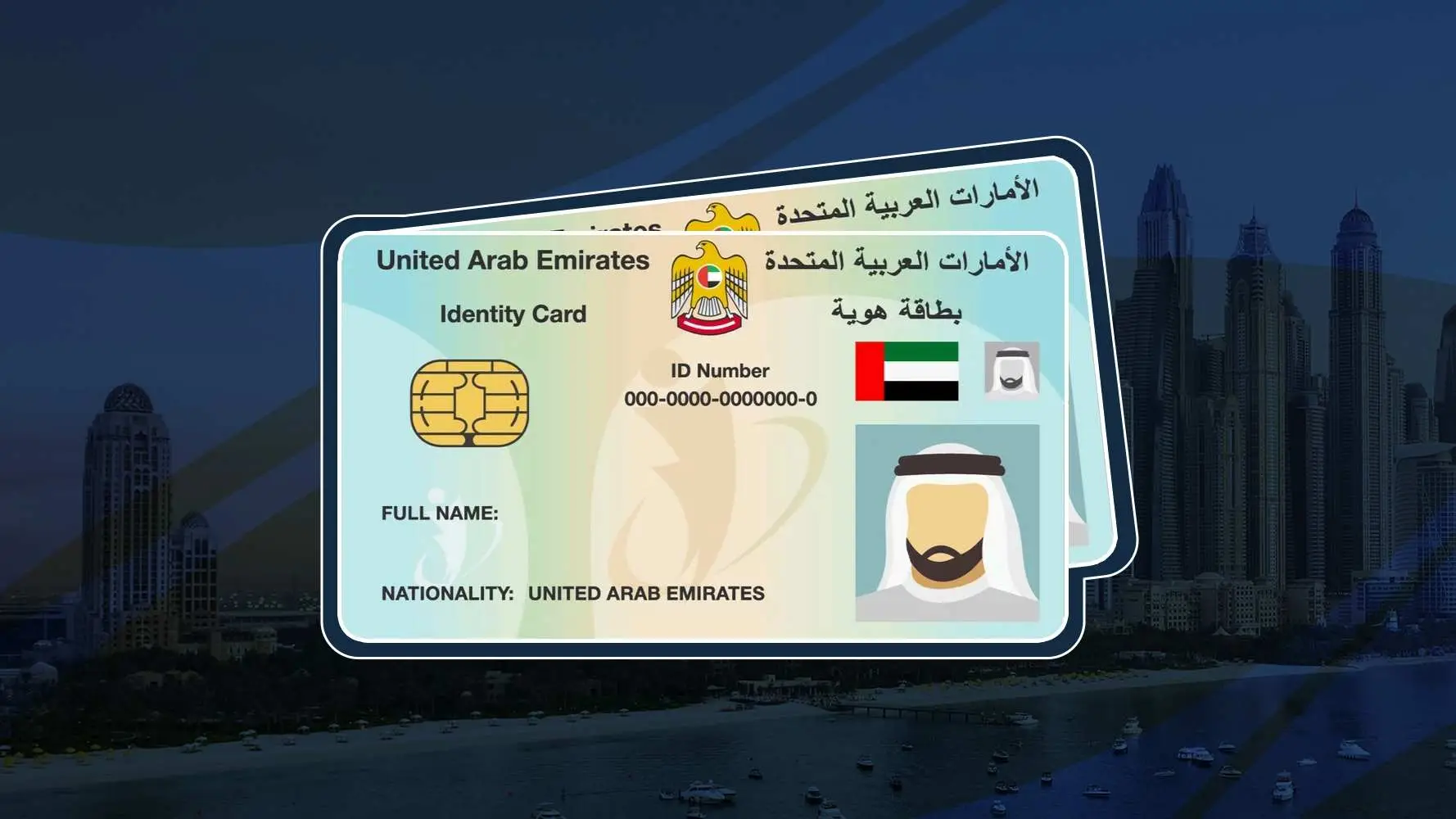
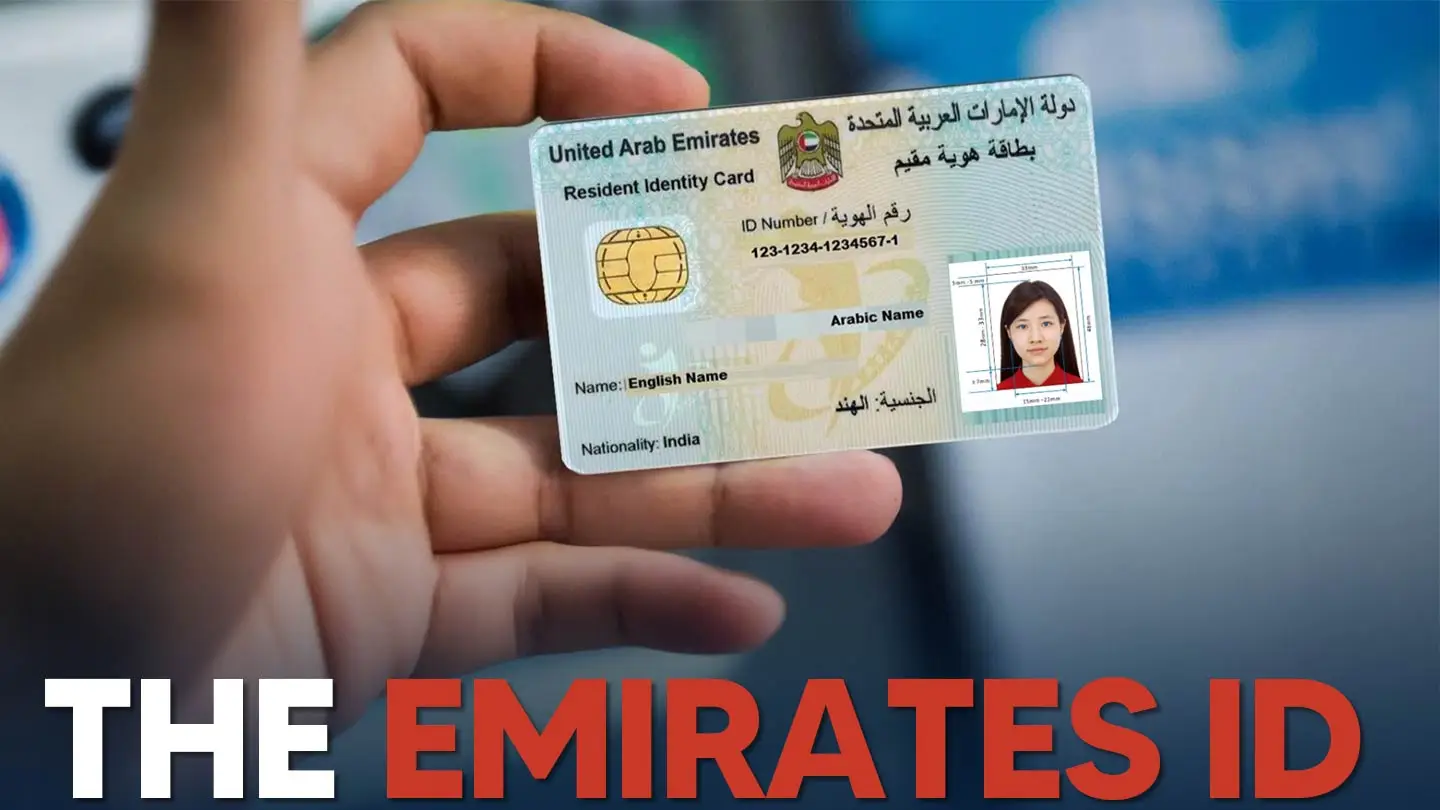
    If you live in the UAE or plan to move here, you will need an Emirates ID. Issued by the Federal Authority for Identity, Citizenship, Customs & Port Security (ICP), this government identity card contains your personal details, photo, fingerprints, and a unique 15-digit number, all securely stored on a chip.

    But it’s not just an ID. The Emirates ID is your key to daily life in the UAE. From opening a bank account and getting a phone connection to signing rental agreements or using e-gates at airports, your Emirates ID is required almost everywhere. It also helps you access government services and healthcare, and even log in to apps like UAE Pass for online services.

    Everyone residing in the UAE must have an Emirates ID, including citizens, GCC nationals, expatriates with residence visas, and even children and newborns. For citizens, it is also used for voting and travel within the GCC. For expatriates, it confirms legal residency and employment status.

    What is the Emirates ID?

    The Emirates ID is an official identity card issued by the Federal Authority for Identity, Citizenship, Customs & Port Security (ICP) in the UAE. It comes with a unique 15-digit number and stores important personal details, such as your name, nationality, photo, and biometric data, including fingerprints. It is a legal requirement for all citizens and residents of the UAE to obtain and carry this card.

    Why is the Emirates ID Important in the UAE?

    The Emirates ID is a mandatory document that plays a central role in daily life in the UAE.

    1. Proof of Identity

    The Emirates ID serves as your official proof of identity in the UAE. It verifies your personal information, nationality, and legal residency or citizenship status, and is required for most official or legal transactions.

    2. Access to Government Services

    The Emirates ID is required for residence visa renewals, vehicle registration, health cards, and accessing services through government portals and applications such as UAE Pass.

    3. Travel and Immigration

    • E-Gates and Smart Gates: Emirates ID enables expedited immigration clearance at UAE airports, enabling quick entry and exit.
    • GCC Travel (for UAE Citizens): UAE citizens may use their Emirates ID as a travel document within the Gulf Cooperation Council countries.

    4. Enhanced Security and Data Management

    • Biometric Data: The embedded microchip stores encrypted personal and biometric data, such as fingerprints, making the card highly resistant to counterfeiting.
    • Unified Database: The Emirates ID is part of a centralised national identity system that streamlines data management and verification for government and private entities.
    • Digital Services: The Emirates ID is integrated with smart services and e-government platforms, enabling secure online transactions and reducing paperwork. It can also be used with UAE Pass for secure digital logins.

    5. Rental and Utility Contracts

    To rent property in the UAE, you must present your Emirates ID. It is also required to activate utilities such as DEWA, internet, and gas services.

    6. Banking and Financial Use

    The Emirates ID is required to open bank accounts, apply for credit cards or loans, and conduct certain banking transactions. It enables banks to verify your identity and maintain security.

    Who Needs an Emirates ID?

    The Emirates ID is mandatory for nearly all UAE residents, including:

    • UAE Citizens: All Emirati nationals must apply for and carry an Emirates ID, which serves as their official identification for voting and accessing government services.
    • GCC Nationals Living in the UAE: GCC nationals residing in the UAE for work, business, or family purposes must also obtain an Emirates ID.
    • Expatriate Residents (Foreigners with Residency Visas): Foreigners with a valid UAE residence visa are legally required to obtain an Emirates ID. The card now contains residency details, replacing the physical visa sticker in passports. The application is typically completed during the residence visa process.
    • Children and Newborns: Newborns and children of UAE residents or citizens must also have an Emirates ID. Parents apply on their behalf during the residency visa process.

    Emirates ID UAE – Key Features

    The Emirates ID uses smart technology to ensure security, convenience, and easy access to services across the UAE. Key features include:

    1. Unique Identification Number

    Each Emirates ID card has a unique, permanent 15-digit identification number that remains with the holder for life, regardless of card renewal or replacement. This number is used for all official interactions.

    2. Biometric Data

    The card stores fingerprints and facial data collected during the application process, providing an additional layer of security and accurate identity verification.

    3. Smart Card Technology

    • Embedded Microchip: The card contains an electronic microchip that stores encrypted personal data, with a capacity of up to 32,000 characters.
    • Public Key Infrastructure (PKI): This includes digital signatures and authentication certificates, which are crucial for secure online transactions and verifying the authenticity of digital interactions.
    • Non-Touch Data Reading (Newer cards): Some newer Emirates ID cards include Wi-Fi-enabled chips for contactless data reading.

    4. Advanced Security Features

    The Emirates ID includes advanced security features to prevent counterfeiting and tampering, such as:

    • Accurate Letters/Micro-text: Extremely precise printing that is difficult to replicate.
    • Ultraviolet (UV) Ink: Visible only under UV light, adding a hidden layer of security.
    • Line Drawings/Holograms: Complex graphical elements that are hard to forge.
    • Secure Laminate: A protective layer designed to prevent alteration of the card’s surface.

    The ICP also states that the Emirates ID has nine security features that exceed the standards used in many other cards, including banking credit cards.

    5. Personal and Professional Data Storage

    The chip on the Emirates ID stores a significant amount of personal and, for residents, professional data. While some information is visible on the card, much of it is encrypted and accessible only to authorised authorities. Data stored can include:

    • Identity number (15-digit)
    • Full name (Arabic and English)
    • Personal photo
    • Date of issue and expiry
    • Passport information (number, type, country, issue/expiry dates)
    • Occupation
    • Sex
    • Nationality
    • Date of birth
    • Mother’s first name
    • Sponsor name, number, and type (for residents)
    • Marital status
    • Family number (for UAE nationals)
    • Town number (for UAE nationals)
    • Type of residence and residence number (for residents)
    • Two fingerprints
    • Signature image
    • Qualification data
    • Occupation type, company name

    6. Digital Version (UAE Pass Integration)

    A digital version of the Emirates ID can be stored on a smartphone via the UAE Pass application, providing secure access to online government and private-sector services without a physical card.

    7. Durability and Longevity

    The cards are made of durable materials, such as polycarbonate, which extends their service life to over 10 years and makes them resistant to daily wear and environmental conditions.

    How to Apply for an Emirates ID?

    Obtaining your Emirates ID is an important step after receiving UAE residency. The process is straightforward if you are prepared.

    Step 1. Ensure You Have a Valid UAE Residency Visa

    Your Emirates ID application must be linked to an active residency visa, regardless of your nationality.

    Step 2. Choose Your Application Method

    You can apply online or in person, depending on your preference:

    A. Online through ICP Website/App:

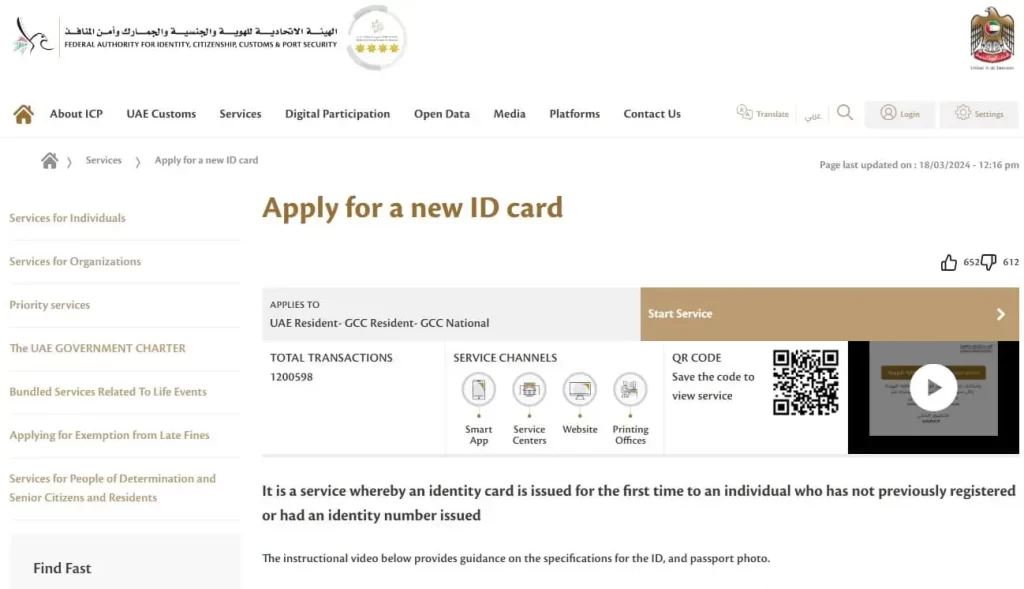
    The Federal Authority for Identity, Citizenship, Customs & Port Security (ICP) has an official website (icp.gov.ae) and mobile app (available on Google Play and App Stores) where you can apply for a new ID, renew, or replace a lost/damaged one. You’ll need to create an account, fill out the application form with accurate details, and upload the required documents.

    B. Accredited Typing Centres / Amer Centres (in Dubai):

    You may also visit an authorised typing centre or Amer centre, where staff will assist with the application form and submit your documents electronically to the ICP. This often coincides with your residence visa application.

    Step 3. Pay the Fees

    Fees vary depending on the card’s validity period, application type (new, renewal, or replacement), and the application channel (online or typing centre).

    General Fees (approximate, subject to change):

    • AED 100 per year of validity (e.g., AED 200 for a 2-year visa, AED 500 for a 5-year ID for citizens/GCC nationals).
    • Application fees: Around AED 30 (online) or AED 70 (typing centre).
    • Urgent service (“Fawri”) fee: An additional AED 150 for expedited processing (typically 24 hours).

    Step 4. Biometrics Appointment (if applicable)

    Most first-time applicants and some renewing or updating data applicants will receive an SMS notification with biometrics appointment details.

    You must visit a designated ICP Customer Happiness Centre to provide fingerprints and have your photograph taken. This step is essential for secure identity verification. Children under 15 are usually exempt from biometrics.

    Step 5. Wait for Processing

    Standard processing takes 7 to 10 business days after your visa is stamped and, if required, biometrics are completed. You will receive SMS updates and can track your application online using the application number (PRAN or transaction number) on the ICP website.

    Step 6. Collect Your Emirates ID

    You will receive an SMS when your card is ready. Collect it from the designated Emirates Post office or ICP centre, and bring your passport and application receipt.

    Cards must be collected within 90 days, or they will be returned to the system.

    Note: For expatriate residents, you generally need to have a valid residence visa (or at least your entry permit for the visa process) before you can apply for your Emirates ID. The ID application is often part of the complete visa processing.

    What is Emirates ID Fees in the UAE (As of 2026)?

    The cost of obtaining or renewing an Emirates ID depends on your residency status and the validity period of your visa. Below is an overview of current fees.

    1. Card Issuance Fee (Main Fee)

    This is the main fee for the ID card, determined by its validity period.

    For Expatriate Residents:

    AED 100 per year of validity of your residence visa.

    • Example: For a 2-year visa, the Emirate ID card issuance fee would be AED 200.
    • Example: For a 3-year visa, the Emirate ID card issuance fee would be AED 300.

    For UAE Citizens and GCC Nationals:

    • AED 100 for a 5-year validity.
    • AED 200 for a 10-year validity

    2. Application/Service Fees

    These are administrative fees for processing the application.

    • Online Application (through ICP website/app): Approximately AED 40
    • Typing Centre / Amer Centre Application: Approximately AED 70 (this typically includes AED 30 for the typing centre and AED 40 for the service fee)

    3. Urgent Service Fee (“Fawri Service”)

    An additional AED 150 is charged for expedited processing (typically within 24 hours). This service is usually available for new applications, renewals, and replacements at specific ICP Customer Happiness Centres.

    Emirates ID Validity and Renewal

    The Emirates ID is a critical document in the UAE. Maintaining its validity and renewing it on time is essential to avoid legal issues and ensure continued access to services.

    Emirates ID Validity:

    Emirates ID validity depends on your visa type and nationality.

    1. UAE Nationals

    For citizens, the Emirates ID is valid for 5 or 10 years, depending on the selected option during application.

    2. GCC Nationals Residing in the UAE

    For GCC nationals, the Emirates ID is usually valid for 5 years.

    3. Expat Residents

    For expatriates, Emirates ID validity is linked to the residency visa, typically for 1, 2, or 3 years, depending on work, sponsorship, or investment type.

    When and How to Renew your UAE Emirates ID?

    1. You may begin the renewal process six months before your Emirates ID expires.
    2. Timely renewal is important to avoid late penalties of AED 20 per day, up to AED 1,000.
    3. The renewal process is similar to applying for a new card:
    • Submit the renewal application via the ICP website, mobile app, or a typing centre.
    • Pay the applicable fees.
    • Book a biometric appointment (only if required).
    • Track your application and collect your new card once it’s ready.

    Grace Period: There is a 30-day grace period from the expiry date to renew your Emirates ID without incurring late fines.

    Late Renewal Fines: Failure to renew within the 30-day grace period results in a fine of AED 20 per day.

    Read More: How to Renew an Emirates ID in the UAE

    Lost, Stolen, or Damaged Emirates ID – What to Do?

    If your Emirates ID is lost, stolen, or damaged, you can request a replacement by following these steps:

    1. Report the Incident Immediately

    Visit the nearest ICP Customer Happiness Centre or log in to the ICP Smart Services portal to report your lost or damaged card. If stolen, filing a police report is recommended for added security.

    For a damaged ID: You do not need to report it as lost or stolen. Retain the damaged card, as it must be submitted when applying for a replacement.

    2. Apply for a Replacement

    After reporting, apply for a replacement Emirates ID online, via the ICP app, or at any typing centre. Submit your passport, a recent photo, and a copy of your lost or damaged ID if available.

    3. Pay the Replacement Fees

    The standard replacement fee is AED 300, plus AED 40 for service charges and AED 30–50 for typing or postal services. The urgent (Fawri) service incurs an additional AED 150–200.

    4. Collect Your New Emirates ID

    Once your replacement is ready, you will receive an SMS notification. Collect the new card from the designated Emirates Post office or ICP centre, as selected during your application.

    Important Considerations:

    • Temporary ID: While waiting for your new Emirates ID, you may use a printout of your application form with your ID number and your passport for identification. The UAE Pass app also provides a digital Emirates ID, valid for many digital services.
    • Old Card Found (if lost): If you find your old card after reporting it lost and applying for a replacement, it’s best to surrender it to the ICP, as it will have been deactivated. Your new card will have the same ID number as the old one.

    Need Help? Shuraa is Here for You

    The Emirates ID is more than just an identification card; it’s an essential part of life in the UAE. From accessing everyday services to verifying your legal residency, it plays a vital role for both citizens and expats.

    Key recommendations:

    • Always carry your Emirates ID.
    • Update your details if your phone number or address changes.
    • Renew your Emirates ID on time to avoid late fees.
    • If you lose or damage your Emirat

    If you are planning to move to the UAE or start a business, Shuraa can assist you. We support clients with Emirates ID applications, residency, visas, and business setup.

    If you have questions or need assistance, we are here to support you at every step.

    Commonly Asked Questions (FAQs)

    1. How can I obtain an Emirates ID in the UAE?

    Here’s a quick step-by-step process to get your Emirates ID:

    1. Apply online via the ICP website or visit a typing centre
    2. Submit your documents and pay the fees
    3. Book and attend your biometric appointment
    4. Wait for processing and collect your card from Emirates Post

    2. How long does it take to receive the Emirates ID?

    It usually takes 5 to 10 working days after completing the biometric process. If you choose the urgent (Fawri) service, you may get it within 24 hours.

    3. Can I travel without my Emirates ID?

    For international travel, a passport and a valid visa are required. UAE citizens may travel to GCC countries using only their Emirates ID, while expatriates cannot.

    4. Do children need an Emirates ID?

    Yes, all newborns and children living in the UAE require an Emirates ID. Parents typically apply during the child’s residency visa process.

    5. Can I update my details on the Emirates ID?

    Yes. You can update your phone number, address, or other personal information through the ICP website, app, or at a service centre.

    6. Is it mandatory to carry the Emirates ID at all times?

    Yes, it is legally required to carry your Emirates ID. It may be needed for identification, accessing services, or during inspections.

  • How to Change the Mobile Number Linked to Your Emirates ID

    How to Change the Mobile Number Linked to Your Emirates ID

    Your Emirates ID is an important identification document in the UAE. It is needed for official transactions, government services, and banking. Keeping your contact details up to date helps you stay in touch with authorities and service providers.

    If you need to update your Emirates ID mobile number, the process is simple. Having the correct number on your Emirates ID helps you continue using UAE government services such as visas, banking, and healthcare without any issues.

    This guide shows you how to update the mobile number on your Emirates ID, so your official records always reflect your latest information.

    Why Do You Need to Link Your Phone Number to Your Emirates ID

    Linking your phone number to your Emirates ID makes it easier to use government and private services. If you need to change your mobile number, update it quickly to avoid any problems. Here are some reasons to keep your contact details current:

    • Get Important Government Notifications: When your mobile number is up to date on your Emirates ID, you will get important alerts about things like visa renewals, residency updates, and reminders when your Emirates ID is about to expire.
    • Access UAE Pass and Digital Services: Your Emirates ID connects you to digital platforms like UAE Pass. Updating your mobile number helps you keep using online government services, banking, and official apps without any interruptions.
    • Security and Authentication: Having a verified mobile number is important for proving your identity. Many government and banking services use OTPs for verification, so keeping your number up to date helps you avoid login problems.
    • Smooth Banking and Financial Transactions: Banks check your Emirates ID details for security. If your mobile number is correct, you will get transaction alerts, OTPs, and fraud warnings on time.
    • Easy Access to Healthcare Services: Hospitals, clinics, and insurance companies often use your Emirates ID to check your identity. If your phone number is updated, you will get appointment confirmations and policy updates without delay.

    If you need to change your mobile number on your Emirates ID, make sure to update it through the ICA (Federal Authority for Identity and Citizenship) to avoid service interruptions.

    How to Change Mobile Number in Emirates ID

    If you want to update the mobile number linked to your Emirates ID, you can do it through the Federal Authority for Identity, Citizenship, Customs, and Port Security (ICP). Here’s a simple step-by-step guide to help you make the change.

    Step 1: Visit the Official ICP Website

    • Open your web browser and visit the official ICP website.
    • Click on “Public Services” from the menu.
    • Click on “Update Personal Information for Emirates ID” to start your request to change your mobile number.

    Step 2: Log in with your Emirates ID details

    • Enter your Emirates ID number.
    • Enter your passport number and expiry date if asked.
    • Complete the security check and click Proceed.

    Step 3: Enter the New Mobile Number

    • You will see your current registered mobile number.
    • Enter your new mobile number in the provided field to update it on your Emirates ID.
    • Double-check that your new number is correct before you submit.

    Step 4: Verify the New Mobile Number

    • You will receive a One-Time Password (OTP) on your new mobile number.
    • Enter the OTP to confirm your new mobile number.

    Step 5: Pay the Service Fee

    • The fee to update your mobile number on your Emirates ID is AED 52, but this amount may change.
    • Pick your payment method and finish the transaction.

    Step 6: Receive Confirmation

    • Once your payment goes through, you’ll get a confirmation by email and SMS.
    • You can check the status of your mobile number update on the ICP website.

    Read Also: Emirates ID Requirements

    Other Ways to Update Your Emirates ID Mobile Number

    If you want to update your Emirates ID mobile number in a different way, here are some options:

    1. Visit an ICP Customer Happiness Centre in Dubai, Abu Dhabi, or Sharjah. You can find the branch closest to you.

    • Find the ICP Customer Happiness Centre that is nearest to you.
    • Bring your Emirates ID and passport with you.
    • Ask to update your mobile number on your Emirates ID and follow the steps they provide.

    2. Use the ICP Smart App

    • Download the ICP UAE Smart App from Google Play or the Apple App Store.
    • Log in, then choose the option to change your Emirates ID mobile number.
    • Follow the instructions and confirm your request using the OTP sent to your phone.

    3. Contact ICP Customer Support

    • Call ICP and ask them to update the mobile number linked to your Emirates ID.
    • They will either help you complete the process online or let you know if you need to visit a service centre.

    How to Check Your Updated Mobile Number on Your Emirates ID

    To check the mobile number linked to your Emirates ID, just follow these steps:

    1. Visit the ICP website and log in to your account.
    2. Click on “Check Application Status.”
    3. Enter your Emirates ID number to check your details.
    4. If your mobile number has changed, you will see the new number linked to your Emirates ID.

    Following these steps makes it easy to update your mobile number on your Emirates ID. You can use the ICP website, the mobile app, or visit a service centre. Keeping your Emirates ID details up to date helps you avoid issues with government services.

    Steps to Update Your Mobile Number in Emirates ID Using the ICA App

    You can easily update the mobile number linked to your Emirates ID using the ICA UAE Smart App. Just follow these steps to make the change:

    1. First, download the ICA UAE Smart App from the Google Play Store or Apple App Store if you don’t have it yet.
    2. Open the app and log in using your UAE Pass or Emirates ID.
    3. On the home screen, tap Personal Information Update. Then choose Update Mobile Number under Emirates ID details.
    4. Enter your new mobile number carefully and double-check it to make sure it’s correct.
    5. You’ll get a one-time password (OTP) on your new number. Enter this code in the app to confirm your identity.
    6. A small service fee (AED 50 to AED 100) may apply. You can pay securely with your credit or debit card.
    7. Once you’ve submitted everything, you’ll get a confirmation message. Your Emirates ID records should be updated within 24 to 48 hours.

    Make sure your new mobile number is active so you can receive verification codes for future government services.

    Read Also: ICA Smart Services in UAE: A Complete Guide (2026)

    Why You Should Update Your Emirates ID Contact Information

    The Federal Authority for Identity, Citizenship, Customs & Ports Security (ICP) requires you to report any changes to your Emirates ID details, including your mobile number, within one month. Updating your contact information helps you keep access to important services without interruption.

    What You Need to Know: You can only link a UAE mobile number to your Emirates ID. If you currently use a foreign SIM card, you will need to switch to a local UAE number.

    Why You Should Update Your Mobile Number

    If you don’t update your registered number, you might run into a few problems, such as:

    • Restricted Access to Government Services: Many UAE government websites and services send One-Time Passwords (OTPs) to your registered number for verification. If your number is outdated, you could lose access to services like visa and Emirates ID renewals or health updates.
    • Missed Banking Alerts & Transactions: Banks and financial institutions send important updates, OTPs, and security messages by SMS. If your number is wrong, you might miss payment reminders, not notice unauthorised transactions, or even have your account temporarily restricted. If you need help setting up a business bank account, you can reach out to experts in Bank Account Opening Services.
    • Legal Compliance & Potential Fines: UAE law requires all Emirates ID holders to update their details within a month. Failure to do so could result in fines or penalties.
    • Delayed Services & Notifications: You might not receive important updates on your visa status, medical insurance, or official documents, which can cause delays and additional problems.
    • Disrupted Communication with Institutions: Keeping your mobile number up to date helps you stay in touch with your employer, school, or service providers and prevents confusion.
    • Identity Verification Issues: Many verification steps use SMS codes. If your number isn’t updated, you could have trouble getting into your personal accounts, financial services, or online platforms.

    Updating the mobile number linked to your Emirates ID is a quick but important step. It helps you access services easily, follow the rules, and keep communication running smoothly. Taking action now can save you from future problems.

    Read Also: How to Check Your UAE Emirates ID Status in Simple Steps

    Keep Your Access Smooth by Updating Your Mobile Number

    It’s important to keep your Emirates ID details, especially your mobile number, up to date. This helps you keep using government services, banking, healthcare, and digital transactions without any problems. You can easily change your mobile number on the ICP website, in the ICA UAE Smart App, or at an ICP Customer Happiness Centre. Updating your contact details also ensures you keep receiving important notifications, OTPs, and service alerts.

    If you need help updating your mobile number on your Emirates ID or with any other government services, call us at +97144081900 or send a WhatsApp message to +971507775554. You can also email us at info@shuraa.com, and we’ll get back to you quickly.

    Frequently Asked Questions

    1. What documents are required to change the mobile number in the Emirates ID?

    Please have the following documents ready: a copy of your passport, a copy of your visa, and a copy of your Emirates ID.

    2. How long does it take to update the mobile number?

    Updating your mobile number usually takes between 5 and 7 days.

    3. Can I change my mobile number online?

    Yes, you can update your number online through the ICA website or the ICA UAE Smart app. You will need to verify the change with an OTP sent to your old number.

    4. Is there a fee to change the mobile number?

    Yes, there is an online fee of AED 53. If you visit a Smart Police Station, the update is free and happens instantly.

    5. Where can I go to change my mobile number?

    You can go to an ICA Customer Happiness Centre with your ID documents and your new mobile number.

    6. What if I lose my Emirates ID while updating my number?

    1. If you lose your Emirates ID, report it at an ICP Customer Happiness Centre.
    2. You can apply for a replacement through the UAE ICP app or at the ICA centre.
    3. The replacement fee is AED 300, plus an application fee of AED 70 if you use a typing centre or AED 40 if you apply online.
    4. You will also need to complete biometric verification.
    5. You can collect your new ID from Emirates Post. It is usually ready in 48 hours, or 24 hours with the express service.

    7. How to update the mobile number online?

    1. Go to the ICP website.
    2. Select the option for “Update Personal Information for Emirates ID”.
    3. Enter your Emirates ID number along with your current mobile number.
    4. Then, provide your new mobile number and verify it using the OTP.
    5. Pay the service fee of AED 52.10 using your debit or credit card.
    6. You will receive a confirmation by SMS or email within 24 to 48 hours.

    Disclaimer: This information is for general guidance and may change if government policies or regulations are updated.

  • How to Check UAE Visa Status by Passport Number: The Complete 2026 Guide

    How to Check UAE Visa Status by Passport Number: The Complete 2026 Guide

    Whether you’re a resident, tourist, investor, or employee in the UAE, keeping track of your visa status isn’t just important—it’s essential for legal compliance and peace of mind. With fines for overstaying reaching up to AED 50 per day and potential travel bans, proactive visa management has never been more critical.

    The good news? The UAE government has streamlined the process dramatically. You can now check your visa status in under 60 seconds using just your passport number. This comprehensive 2026 guide covers every method, troubleshooting tip, and essential detail you need.

    Why Regular Visa Status Checks Are Non-Negotiable in 2026

    ReasonImpact of NeglectProactive Benefit
    Legal ComplianceFines up to AED 50/day + potential deportationPeace of mind & legal security
    Travel PlanningDenied boarding or entry at UAE bordersSmooth travel experiences
    Business OperationsInability to sign contracts or access bankingUninterrupted business activities
    Family SponsorshipFamily members becoming illegal residentsContinuous family stability
    Healthcare & ServicesLoss of access to insured medical servicesContinuous coverage

    Additional 2026-Specific Reasons:

    • Digital Integration: Your visa status now links directly with Emirates ID, banking, and healthcare systems
    • Smart Government Initiatives: Real-time updates mean changes reflect immediately
    • Increased Scrutiny: Post-Expo 2025, authorities have enhanced compliance monitoring
    • Golden Visa Considerations: Regular checks ensure you maintain eligibility criteria

    Step-by-Step: How to Check Visa Status by Passport Number

    Method 1: Federal Authority (ICA) – For All Emirates Except Dubai

    Best for: Abu Dhabi, Sharjah, Ajman, Ras Al Khaimah, Umm Al Quwain, and Fujairah residents

    1. VisitICA Smart Services Portal
    2. Select: “File Validity” or “Visa Status Check”
    3. Choose: “Search by Passport Information”
    4. Enter:
      • Passport Number (exactly as printed)
      • Passport Expiry Date (DD/MM/YYYY)
      • Nationality (from dropdown)
    5. Complete Security Check: Enter the displayed CAPTCHA code
    6. Click: “Search” or “Submit”

    Mobile Alternative: Download “UAEICP” app (iOS & Android)

    Method 2: GDRFA Dubai – For Dubai-Issued Visas

    Best for: Dubai residents, tourists, and Dubai free zone company employees

    1. VisitGDRFA Dubai Portal
    2. Switch Language: Click “EN” in top-left if page loads in Arabic
    3. Select Inquiry Type: Choose “Application Number” or “Passport Information”
    4. Enter Details:
      • Application Number (if known) OR
      • Passport Number + Year of Birth
    5. Submit: Click “Search” button

    Mobile Alternative: Download “GDRFA Dubai” app (iOS & Android)

    Information You’ll Access: Complete Breakdown

    VISA CORE INFORMATION

    ├── Visa Type (Employment/Residence/Tourist/Investor/Student)
    ├── Visa Number (Official Reference)
    ├── Issue Date & Expiry Date
    ├── Current Status (Active/Expired/Under Process/Cancelled)
    └── Grace Period Remaining (If applicable)

    PERSONAL & SPONSORSHIP DETAILS

    ├── Your Full Name (As per passport)
    ├── Date of Birth & Nationality
    ├── Sponsor Name (Employer/Company/Family Member)
    └── Sponsor ID Number

    ENTRY-EXIT HISTORY (Last 5 entries)

    ├── Entry Dates & Ports
    ├── Exit Dates & Ports
    └── Duration of Each Stay

    ADDITIONAL 2026 FEATURES

    ├── Linked Emirates ID Status
    ├── Medical Insurance Validity (If applicable)
    ├── Renewal Eligibility Status
    └── Pending Actions (If any)

    Special Cases & Additional Methods

    For Amer-Center Processed Visas (Dubai)

    If you applied through an Amer Center, you have three verification options:

    Option A: Phone Verification

    • UAE Toll-Free: 800 5111
    • International: +971-4-313-9999
    • Hours: 7:30 AM – 8:30 PM (UAE Time)
    • Information needed: Passport number + application reference

    Option B: Email Inquiry

    • Send to: amer@dnrd.ae
    • Subject: Visa Status Inquiry – [Your Passport Number]
    • Include: Passport copy + application number
    • Response time: 24-48 hours

    Option C: Online Portal

    Checking Family/Employee Visas

    Employers and sponsors can check multiple visas:

    1. Employer Portal Access: Register on MOHRE for employee visas
    2. Batch Checking: Some typing centers offer bulk status checks
    3. Authorized Access: Legal representatives can access multiple files

    Troubleshooting Common 2026 Issues

    ProblemLikely CauseImmediate SolutionLong-term Fix
    “No Record Found”New application (under 48 hours)Wait 48 hours, try againContact processing center
    Expired Visa Showing as ActiveSystem lag in updatesCross-check with ICP appRequest manual verification
    Recent Passport Renewal MismatchOld passport linked in systemUse old passport numberUpdate records via sponsor
    Incorrect Sponsor DetailsCompany name change or mergerDocument current employmentFile correction with GDRFA/ICA
    “Under Review” for Extended PeriodAdditional verification neededContact PRO or typing centerSubmit requested documents

    Urgent Situations:

    • Travel within 24 hours: Visit airport immigration office (Terminal 3, Dubai / Terminal 1, Abu Dhabi)
    • Medical emergency: Present at hospital with passport + existing visa copy
    • Legal requirement: Visit any police station with passport for immediate verification

    Pro Tips for 2026 Visa Management

    1. Set Digital Reminders: Use UAEICP app’s notification feature for 60-, 30-, and 7-day expiry alerts
    2. Document Everything: Screenshot your visa status monthly and save in cloud storage
    3. Verify Before Travel: Always check status 72 hours before international travel
    4. Family Coordination: Create a shared calendar for all family visa expiry dates
    5. Business Compliance: For companies, conduct quarterly visa audits for all employees

    Mobile App Features Comparison (2026 Update)

    FeatureICA UAE Smart AppGDRFA Dubai AppThird-Party Verified Apps
    Real-time Status✅ Yes✅ Yes⚠️ Partial
    Renewal Applications✅ Full service✅ Dubai only❌ No
    Family Visa Management✅ Up to 10 members✅ Up to 5 members❌ No
    Document Storage✅ Encrypted cloud✅ Device only⚠️ Limited
    Offline Access✅ Last viewed status❌ No❌ No
    Multi-language Support✅ 6 languages✅ 3 languages⚠️ 1-2 languages

    Also Read: ICA Smart Services UAE Visa Status Check

    Frequently Asked Questions (FAQs)

    1. Can I check visas issued through travel agencies?

    Yes, all UAE visas—regardless of issuance channel—are in federal systems. Use your passport number on ICA/GDRFA portals.

    2. What if I recently renewed my passport?

    Use your old passport number for checking. Update your details through your sponsor within 30 days of passport renewal to avoid future issues.

    3. How often should I check my visa status?

    Monthly checks are sufficient for most residents. Check weekly if: renewal is pending, you’ve changed jobs, or travel is planned within 30 days.

    4. Can employers check employee visas without consent?

    Yes, if you’re the registered sponsor. Use your establishment card number and password on the relevant portal.

    5. Is there a fee for status checks?

    No, all government portals offer free checking. Beware of third-party sites charging for this service.

    6. What about Golden Visa status checks?

    Golden Visas appear on the same portals. Additional details like eligibility period and renewal conditions are shown.

    7. Can I check entry/exit history for past years?

    Yes, ICA portal now shows 5-year history. For older records, submit a request at immigration centers.

    8. What if my name is misspelled on the visa?

    Do not travel with incorrect spellings. Contact immigration immediately for correction—it’s a free service if reported within 14 days of issuance.

    9. Are there WhatsApp verification services?

    Yes, official Dubai Now WhatsApp (+971 4 555 5555) can provide status with passport number.

    10. What’s new in 2026 for visa checking?

    New features include: predictive expiry alerts, auto-renewal suggestions, integration with airline check-ins, and blockchain verification for investors.

    When to Seek Professional Help

    Consider professional assistance if you encounter:

    • Discrepancies between your records and government systems
    • Emergency travel with visa issues
    • Business needing to verify multiple employee visas
    • Complex situations involving visa changes, cancellations, or appeals
    • Time constraints preventing personal follow-ups

    Simplify Your UAE Journey with Professional Support

    Regular visa checks are essential, but managing UAE compliance involves much more. At Shuraa Business Setup, we provide comprehensive support for individuals and businesses:

    Our 2026 Visa Services Include:

    • Real-time visa status monitoring with weekly reports
    • Proactive expiry alerts (90, 60, 30 days in advance)
    • Bulk employee visa verification for companies
    • Emergency travel documentation assistance
    • Golden Visa application and maintenance
    • Family sponsorship processing and tracking

    Business Setup Specialties:

    Why Choose Shuraa in 2026?

    • 26 Years Experience: Over a decade of UAE immigration expertise
    • 98% Success Rate: Highest visa approval rates in the industry
    • Dedicated Relationship Managers: Single point of contact
    • Transparent Pricing: No hidden fees or surprises

    Contact Shuraa Business Setup Today:

    Disclaimer: This guide is current as of January 2026. UAE immigration policies update frequently. For the most current information, always verify with official government portals or consult with licensed professionals. Shuraa Business Setup is a licensed business consultancy and does not provide legal advice.

  • ICP Smart Services: Your 2026 Guide to UAE Visas and IDs

    ICP Smart Services: Your 2026 Guide to UAE Visas and IDs

    Dealing with UAE government procedures can be tough, but the ICP Smart Services portal has made things much easier. Getting expert advice helps you pick the right service, avoid mistakes, and move through the process smoothly. In this 2026 guide, Shuraa Business Setup, the UAE’s top business consultancy, explains how the ICP platform works and shares our proven steps for successful applications, whether you need a visa, want to renew your ID, or are interested in the Golden Visa program.

    We have more than 26 years of experience helping people with UAE residency and business setup. We’ve put our knowledge together in this easy-to-follow guide.

    What Are ICP Smart Services? The Digital Gateway to the UAE

    ICP Smart Services is the official online portal from the Federal Authority for Identity and Citizenship (ICA). It makes it easier for people and businesses to access federal services, so many tasks that once needed in-person visits can now be done online.

    Residents, visitors, and business owners use this platform for services such as:

    • Applying for or renewing visas, including tourist, residence, and work visas
    • Managing Emirates ID services, such as new applications, renewals, and replacements
    • Accessing passport services for UAE nationals
    • Applying for the UAE Golden Visa
    • Managing residency and entry permits

    Shuraa Insight: “While the portal is public-facing, its integration with over a dozen other government systems (like health and immigration databases) is where complexities arise. A simple error in one field can trigger delays across multiple silent checks. Our role is to ensure your application is perfectly aligned before submission.”

    Why Choose ICP Smart Services? Beyond Convenience

    BenefitWhat It Means for YouShuraa’s Added Value
    24/7 AccessApply from anywhere, no queues.We manage submissions during peak UAE working hours for faster internal processing.
    Faster ProcessingAutomated workflows reduce manual handling.Our pre-check avoids the 3-5 day “suspension loop” caused by document errors.
    Real-Time TrackingSee your application status live.We monitor your application and proactively intervene if status stalls.
    Reduced PaperworkDigital document submission.We provide certified, correctly formatted digital copies meeting exact specs.
    Enhanced SecurityGovernment-level data encryption.We add a layer of confidential data handling and secure document storage.

    According to official ICA reports, more than 90% of routine Emirates ID renewals are completed within 48 hours using ICP Smart Services, provided the applications contain no errors.

    Who Must Register and Use ICP Smart Services?

    • All UAE residents, both expatriates and nationals, need to register to get their Emirates ID, passport (for nationals), and other residency services.
    • Visitors and business travellers should register to apply for e-visas, check their visa status, and manage entry permits.
    • Businesses that handle employee visas must register. Since most mainland sectors now allow 100% foreign ownership, many companies do not need a local sponsor. However, some professional licenses still require a Local Service Agent (LSA), who does not own any part of the business.
    • Golden Visa applicants must use ICP Smart Services as the primary federal channel to apply for the 10-year residency program.

    A Simple Guide to Registering for ICP Smart Services

    1. Go to the official ICP Smart Services website.
    2. On the homepage, click on “Register.”
    3. Fill in your full name, date of birth, nationality, and provide your Emirates ID number if you are a resident, or your passport number if you are a visitor.
    4. Choose a secure username and password to set up your login details.
    5. Enter the OTP sent to your phone and upload clear scans of your ID or passport to verify your identity.
    6. Check your details, submit your registration, and then log in to start using ICP Smart Services.

    It’s best to use an email address and phone number you plan to keep for a long time, since changing them later can take a while.

    Critical Guide: ICP, GDRFA or TAMM – How to Choose the Right Portal

    Many people get confused about which portal to use. If you submit your application to the wrong one, it will be rejected right away.

    PortalJurisdictionPrimary Use Case
    ICP Smart ServicesFederal (ICA)Emirates IDs, Federal Visas, Golden Visas, Services for UAE Nationals.
    GDRFA DubaiEmirate of DubaiDubai-issued residence visas, entry permits for Dubai visa holders.
    TAMM / ADMEmirate of Abu DhabiAbu Dhabi government services, including certain residency services.
    DET / Dubai NowEmirate of DubaiNote: The former Dubai DED is now DET (Dept. of Economy & Tourism). Dubai business licenses and related services.

    Here’s a simple rule: If your visa or ID was issued by the Federal ICA, use the ICP portal. If it was issued by Dubai Immigration (GDRFA), use their portal. If you are not sure, check the issuing authority on your visa page or Emirates ID.

    How to Apply for a Visa Using ICP Smart Services

    1. Start by logging in to the ICP portal.
    2. On the dashboard, click on “Visa Services.”
    3. Choose the type of visa you need, like Tourist, Residence, or Work.
    4. Fill out the online form with your correct passport and personal details.
    5. If needed, enter your sponsor’s details. For example, provide your company’s information if you are applying for a work visa.
    6. Upload the required documents. These usually include a copy of your passport, a photo, and any additional documents, such as proof of relationship for dependents.
    7. Pay the necessary fees securely with your card or e-wallet.
    8. Submit your application, then track its status in real time.

    How to Apply for the UAE Golden Visa via ICP

    The Golden Visa gives investors, entrepreneurs, and specialists many valuable benefits. Here’s how you can apply:

    1. Start by visiting the ICA website to check if you qualify as an investor, entrepreneur, specialist, or outstanding student.
    2. Log in to ICP Smart Services and go to the residency or citizenship eChannels section.
    3. Use the eligibility checker tool in ICP and enter all required details.
    4. Start your application by selecting the Golden Visa category and completing the form.
    5. Upload the required documents. Investors need to provide proof of investment. Specialists should submit certified educational certificates, employment contracts, and professional licenses.
    6. Pay the required fees and submit your application. Golden Visa fees are higher, but they provide a 10-year visa.
    7. You can track your application status through ICP. Once approved, your visa will be sent to you electronically.

    At Shuraa, our Golden Visa Success Framework goes beyond paperwork. We help build strong cases for approval by preparing executive summaries for high-net-worth investors, validating foreign educational certificates through UAE attestation, and ensuring entrepreneurs’ business plans align with key sector priorities.

    How to Check Your Visa or Application Status

    1. Sign in to your ICP Smart Services account.
    2. Click on “My Services” or choose “Application Status.”
    3. Enter your reference number to find your application.
    4. Check your current status. It will show as Submitted, Under Review, Approved, Rejected, or Pending Additional Documents.

    Your ICP Application Health Check (Shuraa’s 5-Point Pre-Submission Framework)

    Go through this checklist before you submit your application to avoid the most common reasons for rejection.

    1. Check that all your scanned documents are in colour, saved as PDF or JPEG files, under 2MB, and easy to read. Make sure your passport copy is valid for at least six more months.
    2. Make sure your sponsor’s trade license is still active and not about to expire. The system will also check this for you.
    3. Choose the right service type. Remember, “Visa Renewal” and “New Visa” are separate services with different fees.
    4. If this is your first residency application, you’ll need to do biometrics at an approved typing centre. Your application won’t move forward until you finish this step.
    5. Double-check that every detail, like your name, date of birth, and passport number, matches your uploaded documents exactly. Even a one-digit mistake in your passport number can cause your application to fail.

    Realistic Processing Timelines for 2026

    Please note that the “Shuraa Managed” timelines include our pre-submission audit and ongoing follow-up.

    ServiceStandard ICP Processing TimePotential Delay FactorsShuraa Managed Timeline*
    Tourist Visa Renewal24-48 hoursPrevious overstay fines, unclear passport copy.24 hours
    New Employment Visa5-7 working daysMedical test results delay, company license renewal pending.3-5 days
    Emirates ID Renewal48-72 hoursOld photo not meeting new spec, address discrepancy.24-48 hours
    Golden Visa (Investor)15-30 working daysProperty valuation delays, proof of funds documentation.10-20 working days
    Visa Status Change5-10 working daysMissing NOC from previous sponsor, exit permit not closed.4-7 working days

    The 5 Most Common ICP Application Rejections & How to Avoid Them

    1. Sponsor’s License is Expired or Under Renewal: The system checks license status instantly. Make sure your company sponsor’s license is valid before you submit your application.
    2. Medical Test Result Not Found: This usually happens if you apply before the testing centre uploads your medical test result to the federal system. Wait until you receive the “result available” SMS before applying.
    3. Inconsistent Personal Information: Ensure all your personal details, including the spelling of your name, match exactly across your application form and supporting documents.
    4. Incorrect Visa Type Selected: Double-check that you have chosen the right visa type for your situation, such as “New Visa,” “Renewal,” or “Change of Status.”
    5. Bank Statement Format Unclear: If you are a Golden Visa investor, submit a 3-month bank statement stamped by the bank. If it is not in Arabic or English, include a translation. Avoid sending screenshots, as they are often rejected.

    Shuraa Insight: “Our clients save an average of 40% time by using our pre-submission document audit. We catch these errors before they cause 2-3 week delays and reapplication fees.”

    ICP for Business Owners: Managing Employee Visa Portfolios

    If you own a business in the UAE, ICP is a helpful HR tool that lets you:

    • Apply for new visas for your employees and their dependents.
    • Renew several existing visas before they expire.
    • Track the status of all your company’s visa applications in one place.
    • Update employee passport details and cancel visas when someone leaves your company.

    Note from Shuraa PRO Service: If your company has more than 10 employees, we can manage your entire visa portfolio. We handle every step, keep track of renewals, and make sure you stay compliant to avoid any fines.

    Begin Your UAE Residency Journey with ICP and Shuraa

    ICP Smart Services is a key platform for managing UAE residency, but its changing rules can be tricky to navigate. When you work with Shuraa Business Setup, we make the process simple. We handle everything, from preparing documents to working with the authorities, so you can focus on your goals in the UAE.

    Let Shuraa be your trusted partner. We support you with everything from setting up your company under the new 100% ownership laws to obtaining a Golden Visa and managing corporate visas, ensuring your setup goes smoothly.

    Further Reading & Essential Guides

    ICP Smart Services FAQ

    1. What is the difference between ICA and ICP Smart Services?

    The ICA, or Federal Authority for Identity and Citizenship, handles identity and citizenship matters in the UAE. ICP Smart Services is the official website where you can access ICA services online.

    2. How can I check my UAE visa status using ICP Smart Services?

    To check your visa status, log in to the ICP Smart Services portal. Go to ‘My Services’ or ‘Application Status,’ select your visa application, and you will see its current status, such as ‘Under Review’ or ‘Approved’.

    3. Is the ICP Smart Services portal secure for payments?

    Yes, the ICP portal uses strong government-level encryption to keep your personal information and payments safe.

    4. Can I apply for a UAE Golden Visa through ICP Smart Services?

    Yes, you can begin your Golden Visa application on ICP Smart Services after checking your eligibility on the official ICA website.

    5. What should I do if my ICP Smart Services application is rejected?

    If your application is rejected, the portal will usually tell you why, such as missing documents or errors. Fix the problem and try again, or ask a specialist like Shuraa Business Setup for help.

    6. Do I need a local sponsor to use ICP Smart Services for a visa?

    No, you do not need a sponsor just to use the portal. However, some visas, like employment visas, do require a sponsor, and you can submit those applications through the portal.

    Are you looking for an easy way to start your journey in the UAE?

    Get in touch with Shuraa Business Setup, your trusted partner since 2001.

    Call us at +971 4 4081900, send a WhatsApp message to +971 50 7775554, or email us at info@shuraa.com.

    We can help you build your future in the UAE.

    Disclaimer: This guide is for informational purposes based on 2026 regulations. Government policies and procedures are subject to change. Always verify the latest requirements on the official ICP website or consult with a licensed business setup consultant like Shuraa.

  • Emirates ID Requirements: A Comprehensive Guide

    Emirates ID Requirements: A Comprehensive Guide

    The Emirates ID is a crucial document for residents of the United Arab Emirates. It serves as an identification card that is required for various transactions and services within the country. Whether you are a citizen, expatriate, or even a newborn baby in the UAE, having an Emirates ID is crucial for accessing government services, opening bank accounts, signing leases, and much more.

    Therefore, here we will explore everything you need to know about the Emirates ID requirements, from application processes to renewal procedures.

    What is an Emirates ID?

    A UAE Emirates ID is a unique identification card issued by the United Arab Emirates (UAE) government to all its residents, including citizens, expatriates, and other residents. It serves as the primary form of identification for individuals living in the UAE and contains essential personal information such as name, date of birth, nationality, and a unique identification number.

    Why do you need an Emirates ID?

    There are several reasons why you would need an Emirates ID:

    • Acts as proof of identity: The Emirates ID is required for many activities such as opening a bank account, getting a mobile phone plan, or registering for government services.
    • Residency: For expatriates living and working in the UAE, the Emirates ID is often required as part of the residency visa process. It helps verify the individual’s legal status in the country.
    • Access to Services: Many services in the UAE, such as healthcare, education, utilities, and banking, require presentation of the Emirates ID for registration and access.
    • Security Purposes: The Emirates ID enhances security by providing a standardized means of verifying an individual’s identity, reducing the risk of fraud and identity theft.

    Who Needs an Emirates ID?

    In short, anyone living in the UAE, whether a citizen or resident, needs an Emirates ID. It’s essential for day-to-day life in the country.

    1. Citizens: All UAE citizens are required to have an Emirates ID.
    2. Expatriate Residents: Expatriates living and working in the UAE under residency visas are also required to obtain an Emirates ID.
    3. Dependents: Dependents of residents, including spouses and children, may also be required to obtain Emirates IDs depending on their visa status.
    4. Employees: Many employers in the UAE require their employees to have Emirates IDs as part of the documentation process for employment and residency.

    Emirates ID Requirements for Application

    Apply for a new ID Card

    The requirements for applying for an Emirates ID in the UAE will vary slightly depending on your age and nationality. Here’s a breakdown of the general documents you’ll need.

    1. Original Passport: Applicants must present their original passport for verification purposes. The passport should be valid and not expired.
    2. Passport-Sized Photographs: Applicants typically need to submit passport-sized photographs with specific emirates ID photo requirements such as size (typically specified as 4.5 cm x 3.5 cm), white background and the applicant’s face visible.
    3. Residence Visa: Expatriate residents need to provide a valid residence visa issued by the UAE immigration authorities. The residence visa must be valid for at least six months.
    4. Proof of Address: Some applicants may be required to provide proof of their residential address in the UAE, such as a utility bill or a tenancy contract.
    5. Completed Application Form: You can get the application form from an Emirates ID typing centre or download it from the Federal Authority for Identity, Citizenship, Customs and Port Security (ICP) website.
    6. Additional Requirements for Minors: Original Birth Certificate or passport of one of the parents or Emirates ID for those under 15 years old. Original of the Agency Certificate for the person acting on behalf of the minor if the minor was not present and the application was submitted by a third party.
    7. Biometric Data: Applicants will be required to provide biometric data, including fingerprints and a facial scan, at the Emirates ID service centre.

    UAE Emirates ID Application Process

    There are two main ways to apply for an Emirates ID in the UAE:

    1. Online through the Federal Authority for Identity, Citizenship, Customs and Port Security (ICP) website:

    • This is the recommended method for ease and convenience.
    • You’ll need to create an account or use your digital identity/username on the ICP website [Apply for a new ID card]. –  https://icp.gov.ae/en/.
    • Once logged in, search for the service “Apply for a new ID card” and fill out the application with your details.
    • The website will guide you through the process, including uploading any necessary documents.
    • You’ll likely need to pay the application fees online as well.
    • You may still need to visit an ICP service centre to provide your biometric data (fingerprints, iris scan) depending on your situation.

    2. In-person at a typing centre or Amer centre:

    • Typing centres and Amer centres (in Dubai) are authorized to assist with Emirates ID applications.
    • Visit a typing centre or Amer centre with an ICP section.
    • Provide them with your passport and residence permit information (if applicable).
    • They will guide you through the application process and may charge additional service fees.
    • Biometric data collection might be done at the center or you might be directed to a dedicated ICP service center for this step.

    After submitting your application you’ll be notified when your application is processed, and your UAE Emirates ID is ready for collection. You may be able to track the application status online or through the typing centre.

    There are several legal implications associated with not having an Emirates ID in the UAE. Here are some of the potential consequences:

    • Illegal: It’s actually against the law for UAE citizens and residents not to have an Emirates ID.
    • Fines: You could face fines for not possessing an Emirates ID or not renewing it on time. The specific amount can vary.
    • Difficulties with daily life: An Emirates ID is essential for many daily activities in the UAE. Without it, you may encounter problems with:
      • Opening a bank account
      • Getting a mobile phone contract
      • Renting a property
      • Registering for utilities
      • Accessing government services
      • Travelling within the UAE (restrictions for citizens)
      • Using eGates at airports
    • Issues with residency status: For residents, not having an Emirates ID could complicate your residency status and potentially lead to delays or difficulties when renewing your visa.
    • Potential for arrest: In extreme cases, authorities may detain someone who doesn’t have an Emirates ID for identification purposes.

    Renewal and Replacement for Emirates ID

    Your Emirates ID is valid for a certain period, typically three years for UAE citizens and residents and five years for GCC citizens. After that, you will need to renew it. 

    You can renew your Emirates ID if it is about to expire or has already expired (within 30 days). 

    Here’s a checklist of the documents you will need to renew your Emirates ID: 

    • Original passport with a copy of your residence visa
    • A recent passport-sized photograph with a white background
    • The expired Emirates ID card
    • Payment of the renewal fees (AED 300)

    How to Renew Your Emirates ID?

    How to renew Emirates ID

    There are three ways to renew your UAE Emirates ID:

    • Website: You can renew your Emirates ID online through the website of the Federal Authority for Identity, Citizenship, Customs and Port Security (ICP). This is the most convenient option, as you can do it from the comfort of your home.
    • ICP App: You can also renew your Emirates ID through the ICP app, which is available on Google Play, App Store and Huawei App Gallery.
    • Typing Center: You can visit a typing center and submit your application for renewal there.

    Read more: How to Renew an Emirates ID in the UAE

    What to do if Your Emirates ID is lost?

    If your Emirates ID is lost, stolen, or damaged, you will need to replace it. The process for replacing a lost or damaged Emirates ID is similar to the process for renewal, but there are a few additional requirements. This may include: 

    • A filled-out application form for replacing a lost/damaged ID
    • Original passport (with a copy of the residence visa page for residents)
    • One recent passport-sized photograph with a white background
    • Payment of applicable fees
    • Police report (if your Emirates ID was lost or stolen)

    Read more insightful articles

    Moving Your Business to Dubai? Consult Shuraa

    Understanding Emirates ID requirements is essential for anyone living or working in the UAE. Having a valid Emirates ID is essential for living, working, and accessing services in the UAE.

    Considering a move to Dubai for your business? The legalities surrounding business setup and employee Emirates IDs can seem complex. Shuraa Business Setup can help!

    Our team of experts will ensure you meet all legal requirements for Dubai company registration, visas, licensing, and more. We handle the paperwork, documentation, and PRO services, so you can focus on running your business.

    So, don’t let the complexities of setting up your business in Dubai hold you back. Get in touch today at +971 44081900 or WhatsApp at +971 507775554 or drop an email at info@shuraa.com.